
The Server Is Telling You to Slow Down
Picture this: your script hits an API endpoint in a loop, pulling data as fast as the network allows. After a few hundred requests, the responses stop being useful JSON and start being a blunt three-digit message: 429 Too Many Requests. The server isn’t broken. You’re not banned. It’s just telling you to slow down.
Rate limiting is when a server caps how many requests a client can make in a given window of time. HTTP 429 is the official status code for when you’ve crossed that cap. It’s a client-side error, meaning the problem is the pace of the requests, not the requests themselves.
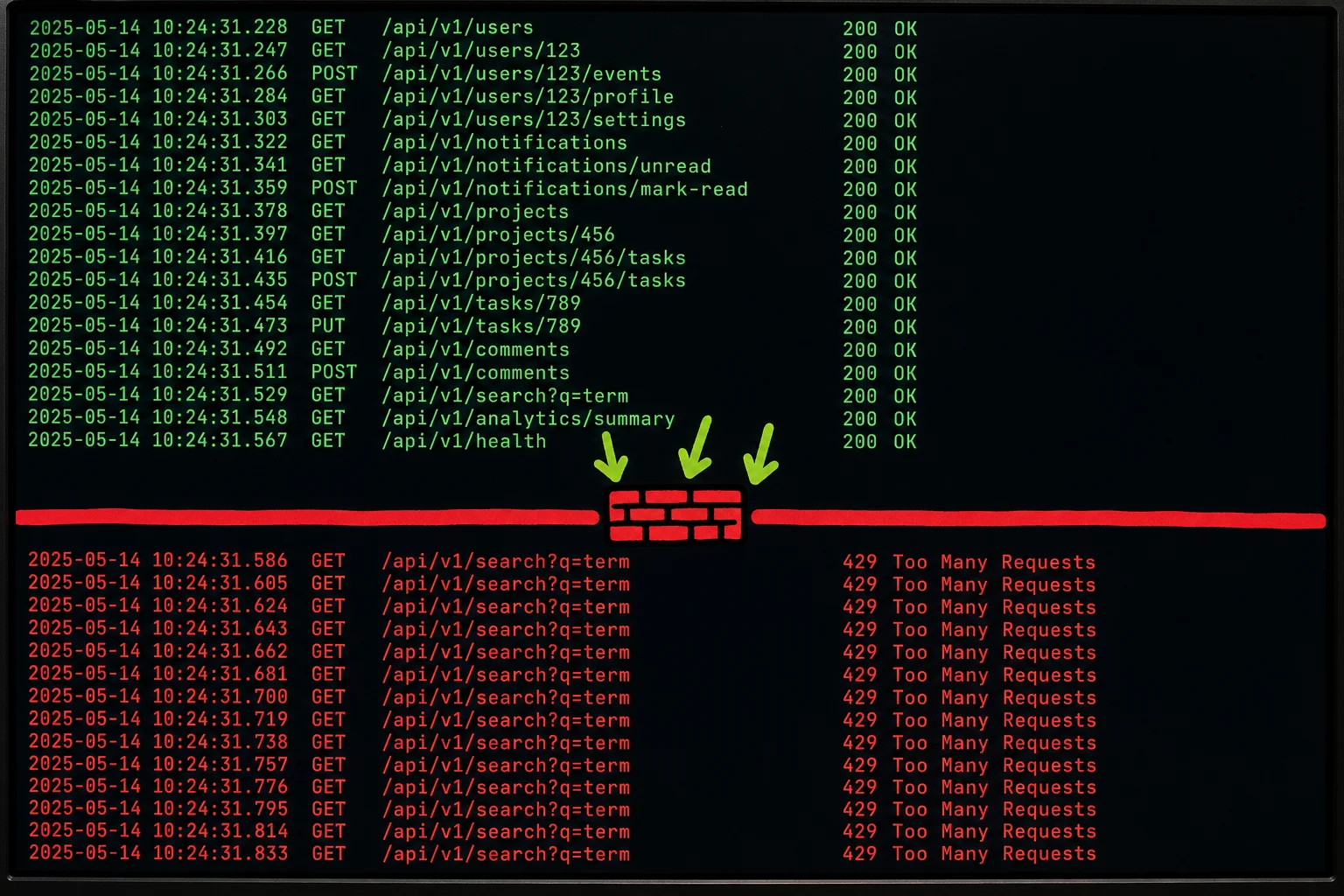
This guide covers the full picture: what actually triggers a 429, how to read the server’s hints about when to retry, and what to do depending on whether you’re a regular user, a developer, or the person who owns the server.
The Same Error, Three Very Different Problems
A 429 looks identical in your browser whether you caused it by opening twelve tabs or a bot farm caused it by sending thousands of requests per second. The status code is the same; the root cause is completely different.
For a regular user, the trigger is usually high concurrency from a single IP. Reload a checkout page five times in two seconds, or open the same dashboard in multiple tabs while it polls an API, and the server sees a burst of identical requests from one address. Some services cap this at single-digit simultaneous connections per IP. You don’t have to be doing anything unusual to hit it.
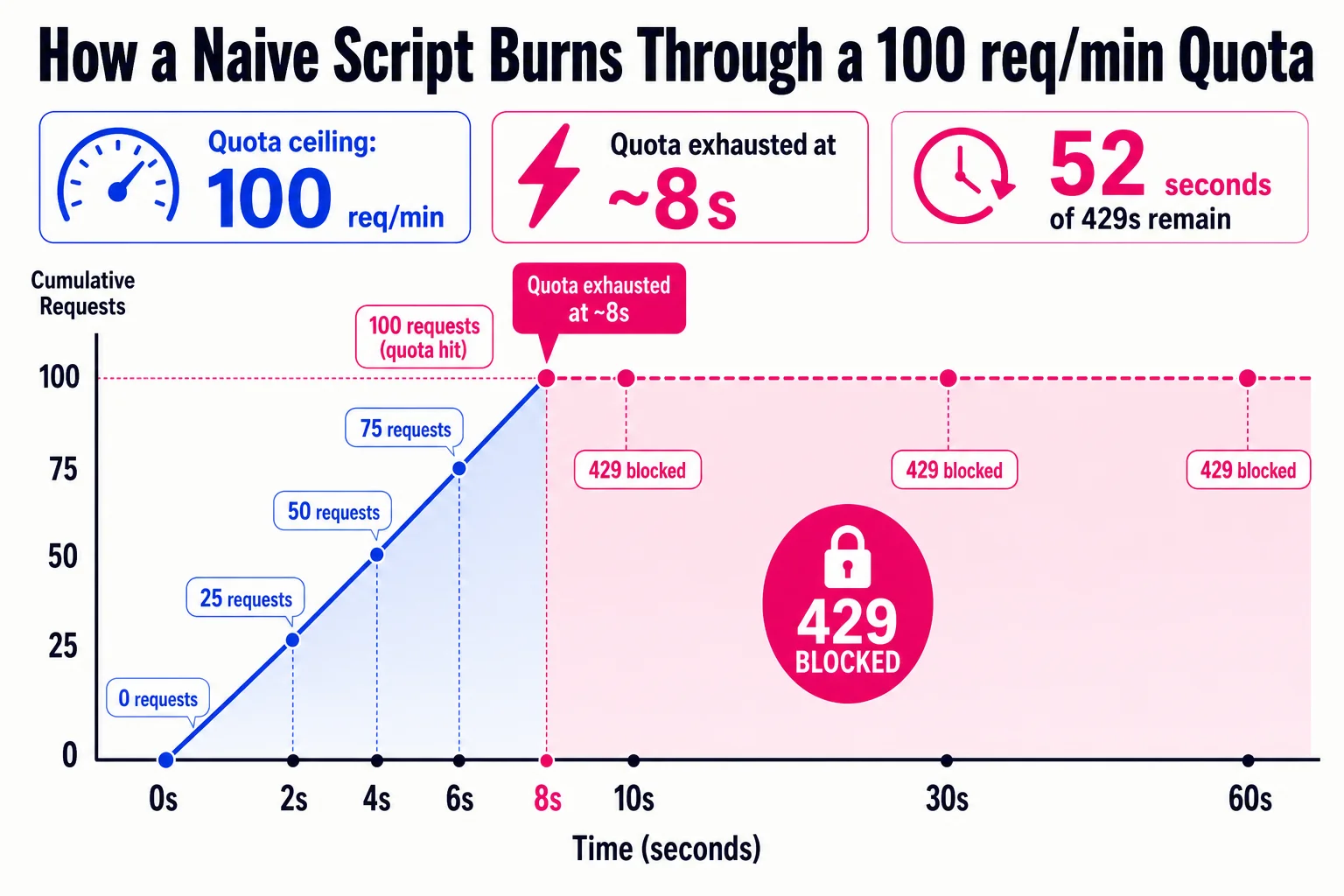
For a developer, the typical culprit is a script that fires requests as fast as the network allows, with no throttle and no backoff. Automated scripts without rate control can exhaust per-key or per-user quotas in seconds. The quota might be 100 requests per minute, and a naive loop blows through that before the first minute is up.
For a site owner, the picture shifts again. A traffic spike from a sale, a viral post, or a bot crawl can look identical at the edge layer. To make it more complicated, shared IPs from VPNs or corporate networks mean one 429 can accidentally block dozens of legitimate users who happen to share an address.
Rate limiting is often enforced at multiple layers too, from CDN to gateway to application, so the same request might get blocked at any point in the stack.
The server’s hint you should always check first
When a server returns a 429, it may include a Retry-After header in the response. That header tells you exactly how long to wait before trying again. It looks like this:
Retry-After: 30That means wait 30 seconds. Some servers send an absolute date instead of a number of seconds, like Retry-After: Wed, 21 Oct 2026 07:28:00 GMT, which means the same thing in a different format. Both are valid per RFC 9110.
The catch is that Retry-After is optional. Plenty of APIs skip it entirely, either by design or oversight. Docebo’s API, for example, explicitly states it does not return the header and tells clients to use exponential backoff instead.
So: check your response headers first. If Retry-After is there, use it. If it isn’t, you’ll need a fallback strategy, and that’s where the fixes in the next sections come in.
Most 429s fix themselves if you slow down
For regular users, the most reliable fix is also the least satisfying one: wait. Most rate limits reset within minutes to an hour. Close the tab, do something else, come back. Sucuri’s analysis notes that waiting resolves the majority of user-side 429s. The tradeoff is obvious, but it beats everything below if you’re not in a hurry.
If waiting isn’t workable, try these in order:
Close extra tabs and stop refreshing. Each open tab on the same site may be sending background requests. Multiple tabs plus aggressive refreshing can push you past the server’s per-IP limit fast. Close everything except one tab and let it load once.
Disable browser extensions. Auto-refresh tools, price-comparison add-ons, SEO toolbars, and some ad blockers send requests you never asked for. Open an incognito window, where extensions are off by default, and try again. If the error disappears, an extension is the problem. Disable them one by one to find which.
Switch networks or toggle a VPN. Rate limits are usually per IP. On shared Wi-Fi, a coffee shop or office network, dozens of people share your IP and can collectively trip the limit. Mobile data gives you a fresh one. VPNs cut both ways: a VPN can fix a 429 by rotating your IP, but it can also cause one if the VPN’s exit IP is already rate-limited.
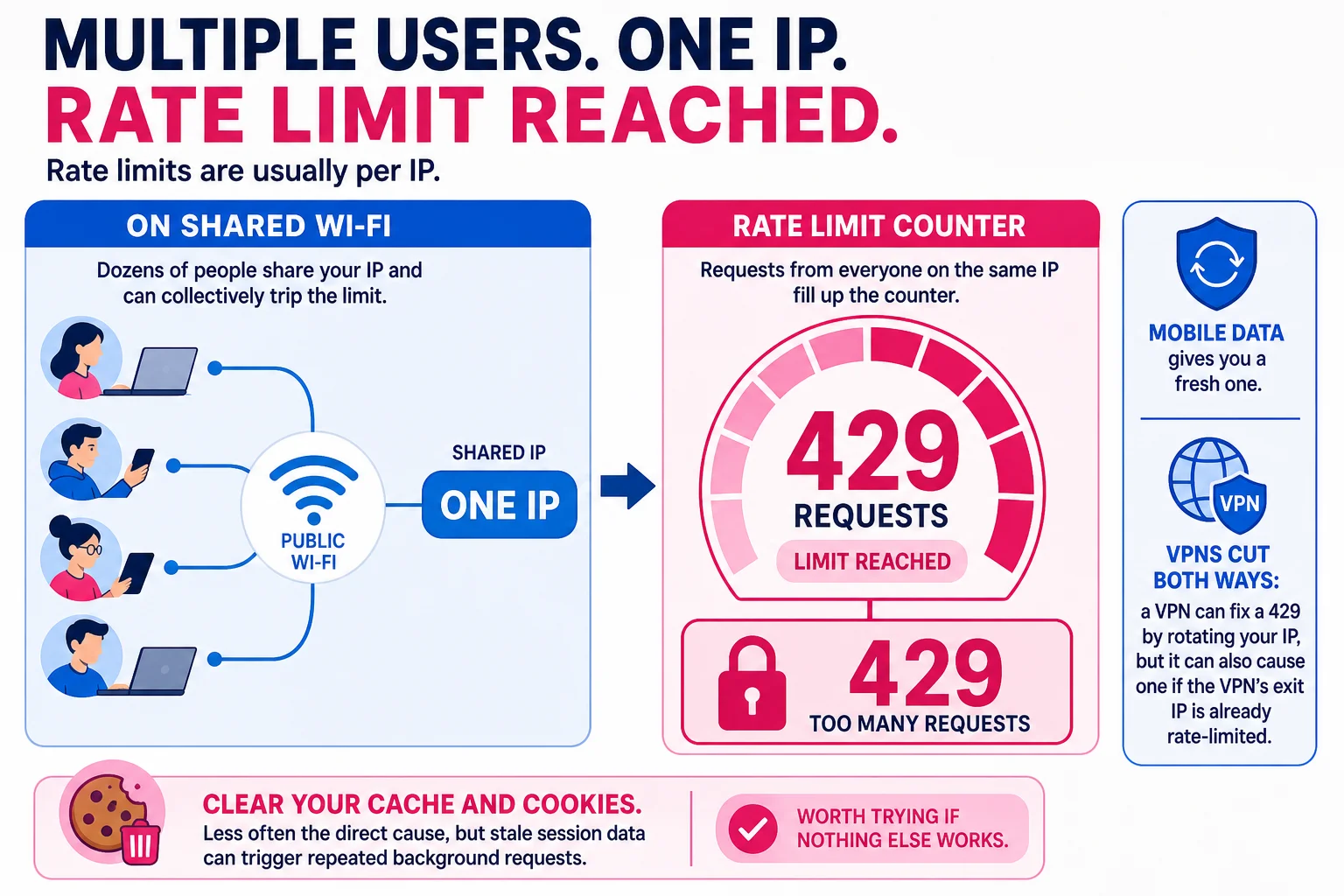
Clear your cache and cookies. Less often the direct cause, but stale session data can trigger repeated background requests. Worth trying if nothing else works.
Slow down on purpose: how developers handle 429s
When you hit a 429 in code, check the Retry-After header first. If the server sent one, use it exactly. Don’t guess, don’t halve it. If it’s absent, fall back to exponential backoff with jitter.
Exponential backoff: after the first failure, wait 1 second. After the second, wait 2. After the third, wait 4. The delay doubles each time (base\_delay × 2^attempt). Cap it at 30 to 60 seconds and stop after 3 to 5 attempts so one bad run doesn’t freeze your app indefinitely.
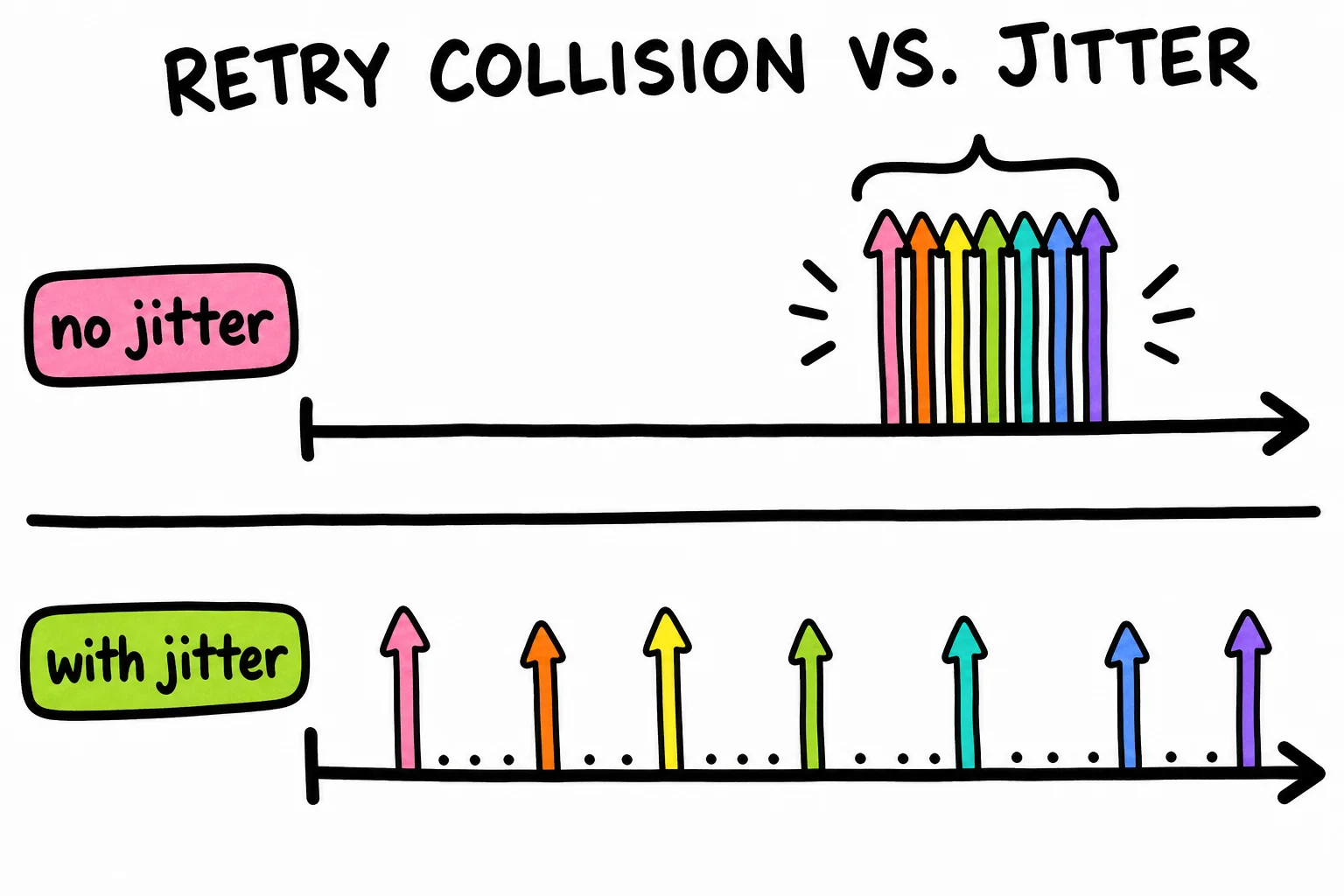
Jitter is the part people skip, and it matters. If ten processes all hit the same rate limit at the same moment, plain exponential backoff sends them all back simultaneously. They all 429 again. This is the thundering herd problem: synchronized retries that recreate the original burst. Adding a small random value to each delay breaks the sync. Something like wait = backoff + random(0, backoff) is enough. AWS’s prescriptive guidance recommends “full jitter” as the most effective variant.
For high-volume systems, a request queue is worth considering. Instead of firing requests and reacting to 429s, you push requests into a queue and drain it at a controlled rate. You stop hitting the limit rather than recovering from it.
API keys are the other lever. GitHub’s REST API gives unauthenticated clients 60 requests per hour and authenticated ones 5,000. That gap is typical. Adding a key can eliminate the problem entirely without changing anything else.
Log every 429 with the endpoint, timestamp, client ID, and whatever rate-limit headers the response included. Patterns tell you whether you’re dealing with a short burst or sustained overuse, and that distinction determines whether you need to tweak retry logic or renegotiate your quota.
Rate limits that stop bots, not your best customers
Per-IP limits are easy to set up but blunt: one NAT address can represent an entire office, university lab, or mobile carrier. Per-user or per-API-key limits are fairer because they isolate noisy individual actors and let you run tiers, but they require authentication and shared counters across servers. The common compromise is a hybrid: per-user or per-key for signed-in requests, with a looser per-IP backstop for anonymous endpoints. This rate limiting strategy overview explains why that shape works.
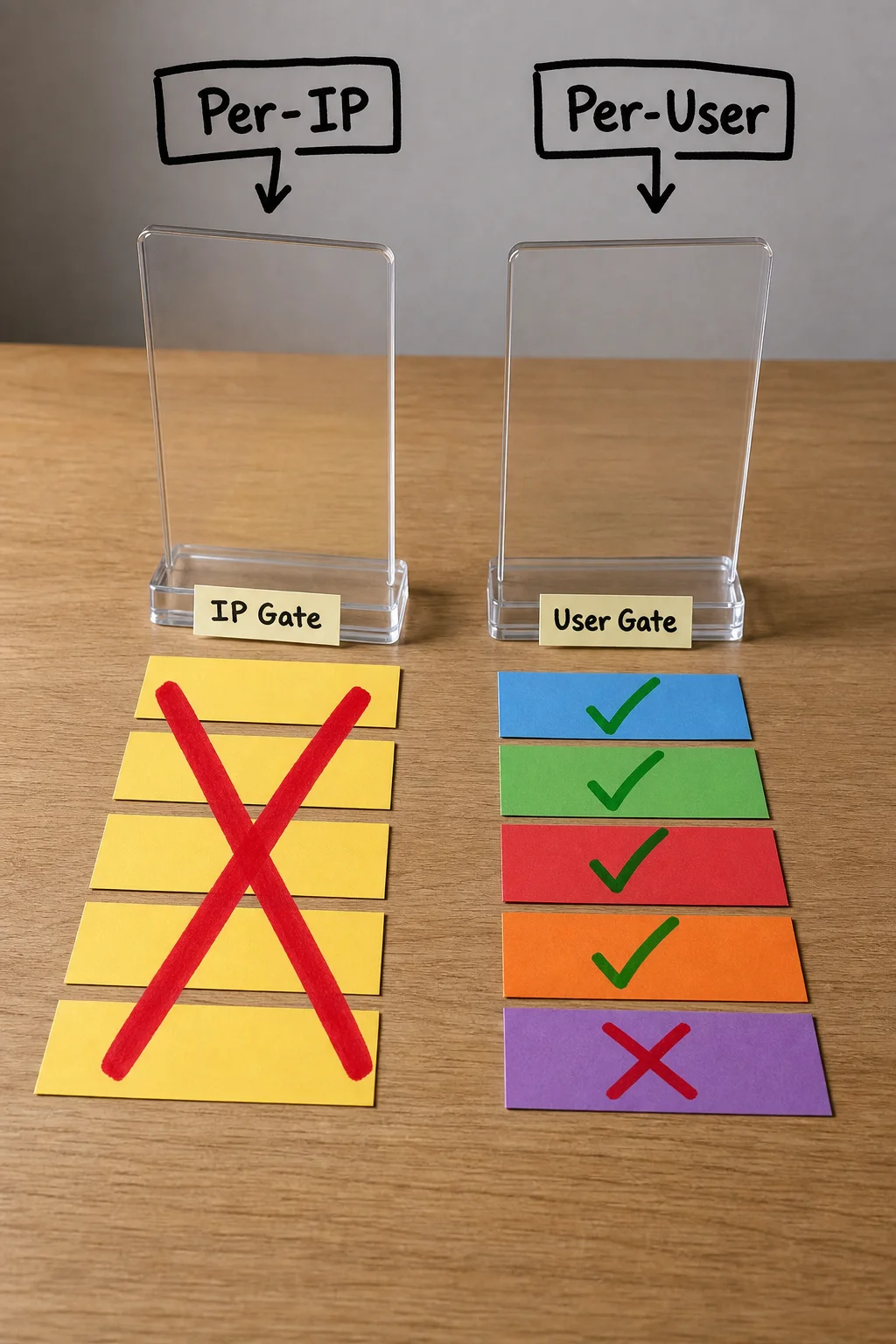
Set thresholds from your own logs, not guesses: watch one to four weeks of requests per identifier, pick a high percentile, then review 429s by IP range to catch false positives early.
When you do block, return a real 429 with Retry-After and a short body saying when to retry. A 429 with no Retry-After annoys both humans and well-behaved clients equally, and MDN’s 429 reference calls that header out as the key recovery hint.
Three codes that look the same until you try to fix them
If you get a 403, retrying won’t help. That’s a permission problem: the server understood your request and refused it. Slow down all you want, the answer stays no until credentials or access rights change.
A 503 means the server itself is overwhelmed or in maintenance. The request count isn’t the issue, the server’s capacity is. The fix lives on the server side, not the client side.
A 429 is the only one of the three that backoff actually solves. The server is fine, your access rights are fine, you just sent too much too fast.
One wrinkle worth knowing: some vendors, including Azure’s WAF, return 403 for rate-limiting conditions instead of 429. If you hit a 403 that looks suspiciously temporary, check the headers and the vendor docs before assuming it’s a permissions issue.
The short version, if you need it fast
- What it means: you sent requests faster than the server allows.
- Check first: the
Retry-Afterheader. It tells you exactly how long to wait. - Regular user fix: wait, close extra tabs, disable automation, try a different network.
- Developer fix: implement exponential backoff with jitter, log 429s, and request a higher quota or dedicated API key.
- Site owner fix: tune per-user or per-key limits, return a proper 429 with
Retry-After, and check logs for false positives. - Not a 429: if retrying never helps, check whether you have a 403 (permission problem) or a 503 (server capacity problem) instead.
429 is never about who you are. It’s only ever about how fast you’re going.
References
- RFC 6585: Additional HTTP Status Codes — IETF
- MDN: 429 Too Many Requests — MDN Web Docs
- GitHub Docs: REST API rate limits — GitHub Docs
- AWS Prescriptive Guidance: Retry with backoff pattern — AWS
- Microsoft Learn: Exponential backoff with Polly — Microsoft Learn
HTTP status code quick links
Use the HTTP status codes guide as the hub for the full cluster, or jump to a specific code:
- 2xx success: 200 OK
- 3xx redirects and caching: 301 Moved Permanently, 302 Found, 304 Not Modified
- 4xx client errors: 401 Unauthorized, 403 Forbidden, 404 Not Found, 410 Gone, 429 Too Many Requests
- 5xx server errors: 500 Internal Server Error, 503 Service Unavailable, 504 Gateway Timeout