
Your server isn’t broken, it’s just efficient
Picture a Googlebot crawler knocking on your server’s door and asking: “Has this page changed since I last visited?” Your server checks the page’s fingerprint against the one the crawler sent along, finds a match, and replies: “Nope. Use what you already have.” That exchange ends with a 304 Not Modified response, and the whole thing is working exactly as designed.
The mechanism behind it is called a conditional request. When a browser or crawler first fetches a resource, the server sends back a 200 OK with the full content plus a validator, either an ETag (a fingerprint of the content) or a Last-Modified timestamp. On the next visit, the client sends that validator back in an If-None-Match or If-Modified-Since header. If the resource hasn’t changed, the server skips sending the body entirely and returns a 304 with updated cache metadata only.
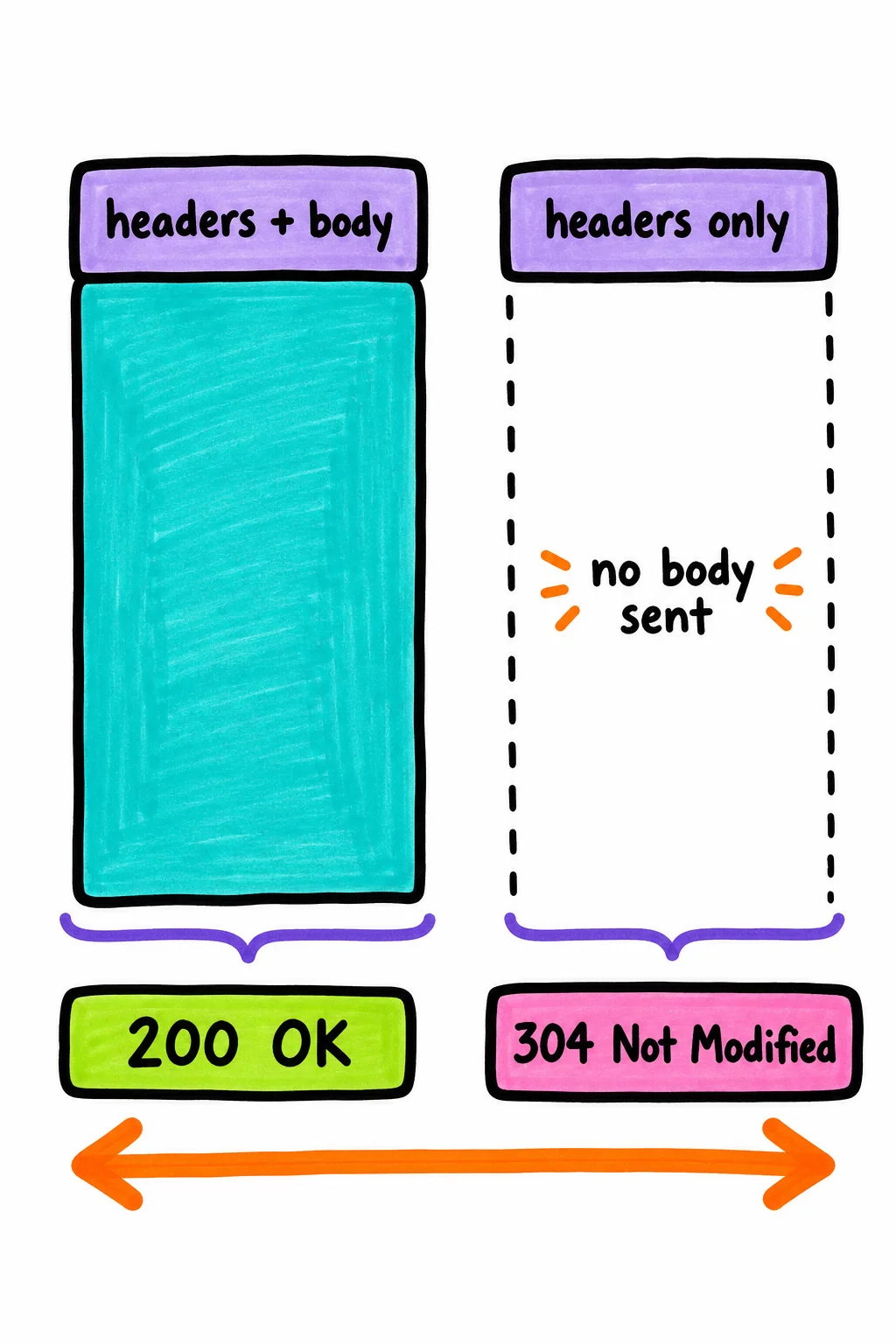
ETags are generally more reliable than timestamps because a file can be re-saved with identical content and get a new modification date, which would incorrectly trigger a fresh download.
The upshot: a 304 appearing in your logs or a site audit is not an error code. It means caching is doing its job. The question worth asking is whether the right content is in that cache, which is a different problem entirely.
For SEO, 304s are basically free money, except when they’re not
Google officially endorses 304 responses and Googlebot uses them the same way a browser does: it sends a conditional request with the cached validator, and if your server replies with 304, Googlebot reuses its cached copy instead of downloading the full page again. That saves crawl quota, which means Googlebot can visit more of your site in the same window. For a 200-page brochure site, this barely registers. For a site with 50,000 product pages, it compounds into something real.
The crawl budget angle is where 304 actually earns its SEO relevance. Practitioners working with large-scale sites treat efficient 304 handling as a meaningful lever, particularly for e-commerce catalogs, news archives, and aggregator sites where a significant share of pages genuinely haven’t changed since the last crawl. Googlebot gets through more pages, static content stays indexed, and nothing breaks.
So 304 is neutral-to-positive for SEO. But there’s one edge case worth naming clearly.
If your server returns 304 and the cached version Googlebot is holding is wrong, that stale version stays indexed until something forces a fresh 200. Say you update a product page, a price change, a new description, but your cache headers don’t get cleared on deploy. Googlebot visits, your server compares ETags, finds a match against the OLD fingerprint, and returns 304. The updated content never gets picked up. Google’s own forums have flagged that this can cause indexing delays or lock Googlebot into a broken cached state if the original response was empty or malformed.

That’s the failure mode. The 304 is working correctly as a protocol, but it’s confirming the wrong thing. Small sites rarely hit this, but any site with a content pipeline that doesn’t reliably invalidate cache on publish should treat it as a real risk.
The 304 scenarios that actually deserve your attention
Most 304s are fine. You have a problem when the validator your server is checking against no longer matches reality.
The clearest case: you publish an update, but your server-side cache never gets purged. Googlebot arrives, sends its cached ETag, and your server compares it against the stale cached version still sitting in Nginx or a CDN edge node. The ETags match, so the server returns 304. Googlebot skips the download. Your updated content stays invisible until something forces a full 200.
You’re most at risk if any of these apply. You run a load-balanced setup where different servers generate ETags differently, so the validator is inconsistent depending on which node answers. You use Nginx proxy caching or fastcgi cache without a purge step on deploy. You run an external CDN in front of a platform like Vercel, where the CDN layer can hold old validators even after the origin is updated. You rely on Last-Modified timestamps alone, which can miss sub-second edits and confirm unchanged content that actually changed.
If none of those match your setup, your 304s are probably doing exactly what they should.
Two forks, one diagnosis
Once you’ve confirmed you actually have a 304 problem, the next question is where to look for the cause. These are not the same fix, and treating one when you have the other wastes time.
The simplest way to self-route: check whether your ETag changes when your content changes, and whether it stays the same when your content doesn’t change.
If content changed but crawlers still see the same ETag and get 304 back, the cache isn’t being cleared on publish. That’s a pipeline problem. Your deploy process finishes, the new content hits the origin, but the cached validator sitting in your CDN or Nginx proxy cache is never invalidated. The server compares the stale ETag, declares a match, and returns 304. The fix lives in your deployment hooks, not your server config.
If content hasn’t changed but the ETag changes anyway after a deploy, that points to a server configuration problem. Most web servers generate file-based ETags by default, using filesystem metadata like modification time, file size, or inode number. Nginx does this. Apache does this. When you redeploy, inodes and mtimes can change even if the file bytes are identical, which produces a new ETag for unchanged content. Crawlers and browsers hit the endpoint, the ETag looks different, and they download a full response they didn’t need.

The tradeoffs matter here. Switching to content-hash ETags, where the fingerprint is generated from file contents rather than filesystem metadata, gives you stable validators across nodes and redeploys. But web servers don’t generate these by default; you need your build pipeline or application layer to produce them. That means more access and more setup work. On the other hand, adding a cache purge step to your deployment process is usually easier to wire up through a CMS plugin or a deploy hook, but it can miss edge cases, especially assets cached at CDN edge nodes that the purge call doesn’t reach.
Diagnose first. The fix you reach for should follow from what the symptom actually is.
Verify first, then fix
Before touching any config, run this against a URL that should be serving fresh content:
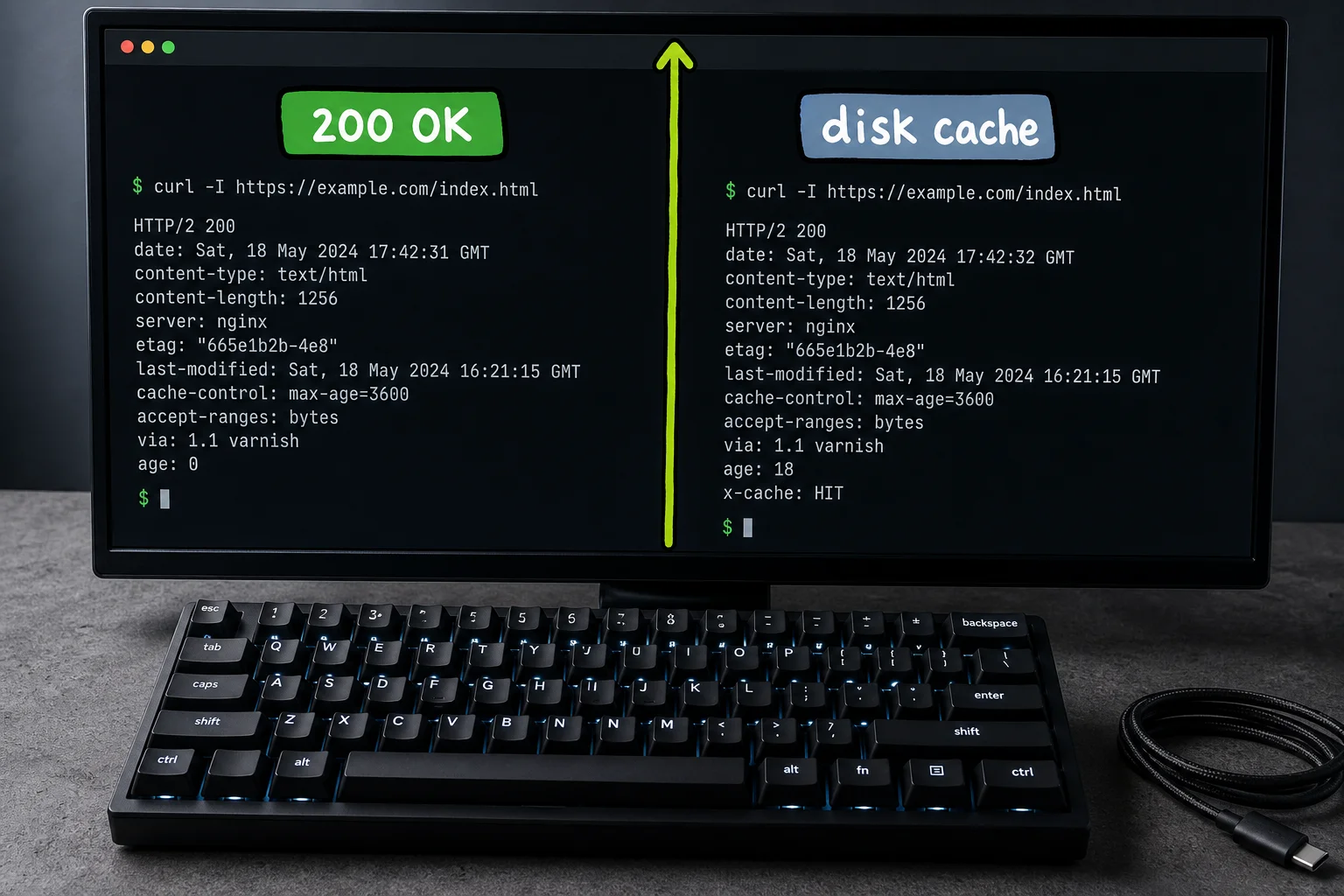
curl -I https://yoursite.com/page-or-assetCheck the response headers. If you see ETag or Last-Modified alongside a Cache-Control: max-age that hasn’t expired, run it twice quickly and watch whether the second request returns 304. If it does and the content changed since your last deploy, you have a real problem.
Path one: fix at the server or CDN level. This applies when ETags change across redeploys despite identical file contents. For static assets like CSS, JS, and images, stop conditional requests entirely by setting a long Cache-Control: max-age and disabling ETags. In Nginx: etag off, if\_modified\_since offmodifiedsince off`, and expires 1y inside the relevant location block. In Apache: FileETag None plus Header unset ETag. For HTML, do the opposite: keep the ETag, set Cache-Control: no-cache, so browsers revalidate every visit.
The tradeoff is real. Once you disable ETags and set a year-long max-age, browsers won’t check for updates unless you change the filename or append a cache-busting query string on deploy.
Path two: fix at the CMS or deploy level. This applies when stale CDN validators survive publishes. Wire a cache purge call into your deploy hook. For WordPress on Cloudflare, selective URL purging after publish is more reliable than full-site invalidation, which can flood your origin with traffic.
After either fix: run nginx -t, reload, then re-run curl -I and check Chrome DevTools Network. Static assets should return 200 on first load and pull from disk cache on repeat visits.
The worst fix is no cache at all
The most common over-correction: someone sees 304 problems, reads that ETags can cause stale responses, and disables ETags site-wide. Now every repeat visitor downloads the full resource every time. You traded an occasional stale-content edge case for guaranteed bandwidth waste and slower repeat visits. That’s a bad deal.
Close second: setting Cache-Control: no-store globally. Unlike no-cache (which still allows storage and revalidation), no-store forces a full origin fetch every request. Your CDN becomes decorative.
The fix in both cases is the same: repair the ETag mismatch or use no-cache with ETags intact. Don’t remove the mechanism because the mechanism misbehaved once.
If you read nothing else, read this
304 is fine by default. Only act when you’ve confirmed content isn’t updating after a publish.
If crawlers are getting stale content: check whether your server’s ETag is tracking real content changes or just filesystem timestamps, then fix the mismatch or add a cache purge to your deploy hook.
If every request is a full download after you “fixed” it: you over-corrected. Restore your cache headers and use no-cache instead of no-store.
Getting 304 right is really just getting your cache headers to tell the truth.
References
- RFC 9110: HTTP Semantics — RFC Editor
- MDN: 304 Not Modified — MDN Web Docs
- MDN: ETag header — MDN Web Docs
- MDN: Cache-Control header — MDN Web Docs
- Cloudflare: ETag headers — Cloudflare Developers
HTTP status code quick links
Use the HTTP status codes guide as the hub for the full cluster, or jump to a specific code:
- 2xx success: 200 OK
- 3xx redirects and caching: 301 Moved Permanently, 302 Found, 304 Not Modified
- 4xx client errors: 401 Unauthorized, 403 Forbidden, 404 Not Found, 410 Gone, 429 Too Many Requests
- 5xx server errors: 500 Internal Server Error, 503 Service Unavailable, 504 Gateway Timeout