
That Template You Filled Out Last Quarter Isn’t Actually Running Your Strategy
Picture this: a marketer spends two hours filling out a new social media strategy template. Goals section, done. Audience personas, done. Content pillars, four of them, very thematic. Brand voice adjectives, three of them, all perfectly reasonable. The document looks professional. It gets saved to a shared drive. And then, three days later, someone asks which platform to prioritize for the next campaign, and the team just… argues about it, same as always. Nobody opens the template.
Social media is one channel in a wider system. For the full multi-channel frame this guide sits inside, see our digital marketing strategy guide. When you need to turn strategy into a working document with owners, budget, timeline, and KPIs, use the marketing plan template or the marketing strategy template.
That’s the problem with most social media strategy templates available right now, whether from Hootsuite, HubSpot, Sprout Social, or the dozen others circulating in Notion and monday.com. They share the same six sections across almost every version: goals, audience, content pillars, brand guidelines, calendar, competitor audit. Each section is fillable. None of them force a decision.
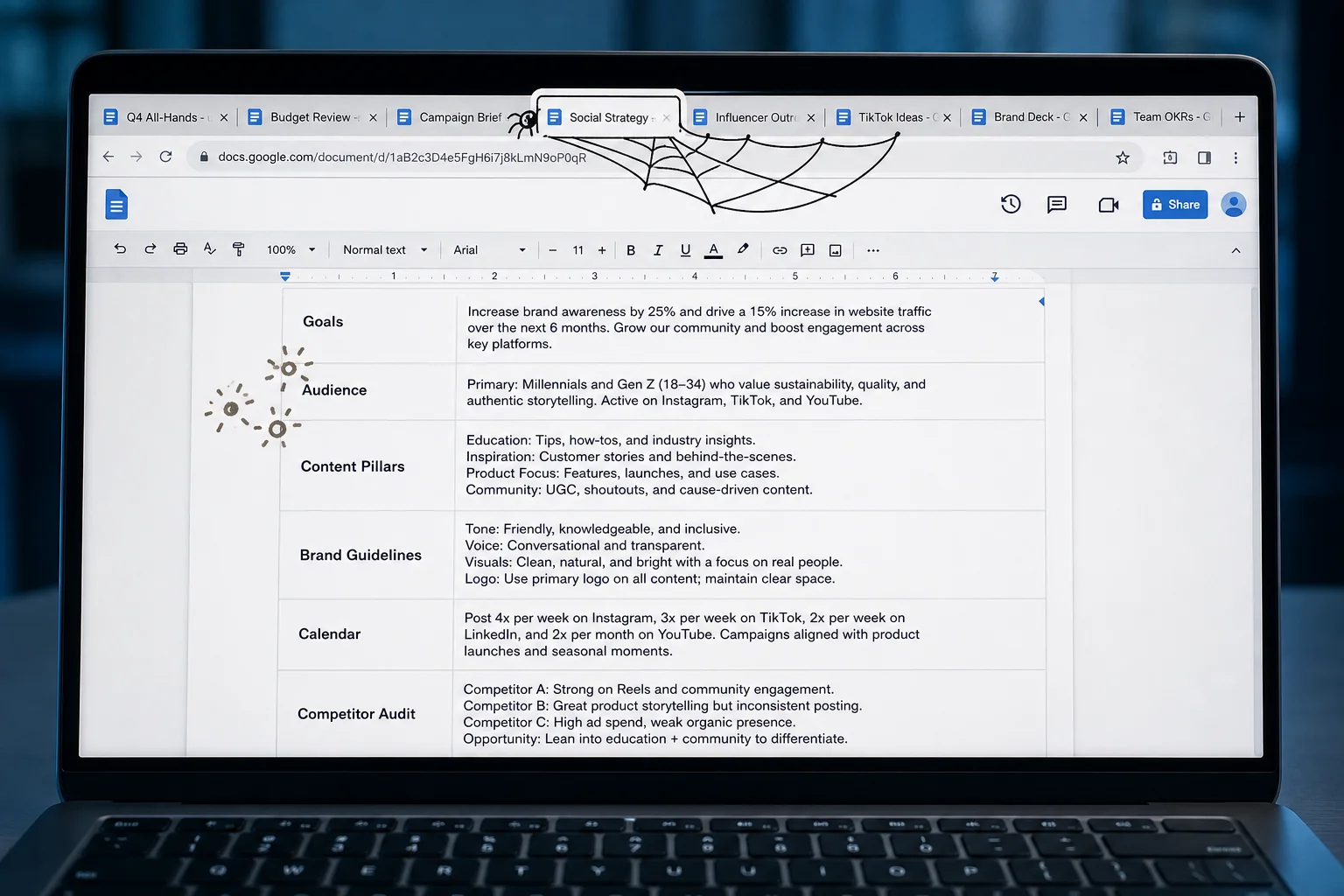
Filling out a template feels like strategy. It isn’t. A refreshed template isn’t one with new fields added. It’s one where every section is doing actual work, meaning it changes what someone does next. That’s the question worth asking before you touch a single field.
Refresh Means Audit, Not Overhaul
A refresh is not adding a TikTok section because TikTok is now a thing. It’s asking, section by section: is this actually changing what we do, or are we filling it out because the template has a box here?
The most honest way to see this is by looking at what happens to brand voice guidelines after they’re written. Teams spend real time on them, landing on three adjectives like “upbeat, clear, authentic,” and then those descriptors get ignored almost immediately because they’re too vague to apply to an actual caption. The concrete signal that a section has gone decorative: your vendors are writing in a completely different register than your in-house team, and nobody’s flagging it, because the guidelines don’t say anything specific enough to flag against.

That’s the distinction a refresh is supposed to surface. Two types of changes are possible. Structural changes mean adding or removing whole sections. Content changes mean updating the assumptions inside sections you’re keeping. Both matter, but they’re different problems. A goals section that still lists 2022 targets needs a content change. A competitor audit section that nobody has opened in eight months probably needs to be cut entirely.
The real tradeoff here is between comprehensiveness and usability. A long template that covers everything feels responsible. It also gets ignored. A short template that only contains sections people consult before making real decisions gets used. The question isn’t what should theoretically be in a strategy document; it’s what your team actually opens when they need to make a call. That gap is what you’re closing.
Four Questions Your Template Should Force You to Answer
If a template section doesn’t help you make a decision, it’s decoration. Here are the four questions that actually drive your content program, and what each one demands from a template that’s worth keeping.
What should we post?
The template needs to answer this before anyone opens a blank doc and starts improvising. That means defined content pillars narrow enough to say no to things. “Brand awareness” is not a pillar. “Product education: tutorials and FAQs that move someone from curious to trial” is a pillar. Specific pillars map directly to content formats, which makes planning faster and performance measurement possible. The tradeoff is that tighter pillars require more upfront decisions about what you’re not doing. That’s uncomfortable. It’s also the point.
Where should we post it?
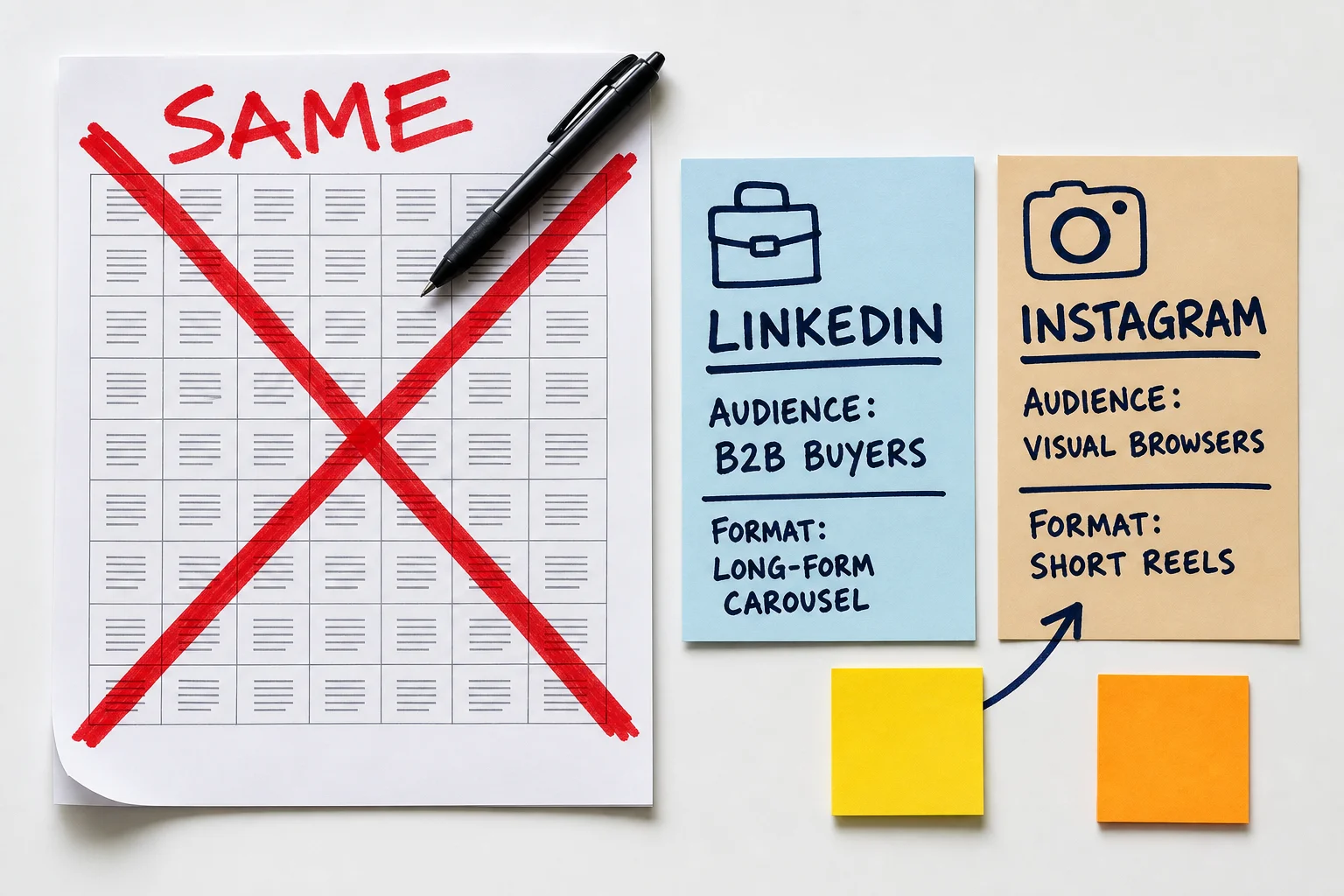
A channel list with no criteria attached is just a to-do list. The template should state which business outcome each platform is expected to serve, and for what audience segment. A B2B software team that posts identical content on LinkedIn and Instagram isn’t being thorough; it’s avoiding the harder decision about where their audience actually buys. The tradeoff here: platform-specific templates take longer to maintain but produce better results than a single generic content grid applied everywhere.
How will we know if it worked?
The template should name 3 to 5 metrics that connect to a business outcome, not just platform activity. Follower count and impressions tell you very little about whether anyone is buying. Engagement rate, website clicks from social, and conversion rate from social traffic are harder to look good on, which is exactly why they’re useful. A Smartsheet-style mapping that runs Business Objective → Social Goal → Success Metric takes ten minutes to build and immediately exposes which goals have no measurable outcome attached.
When should we change course?
This is the question most templates skip entirely. A useful template defines a review cadence (monthly is realistic for most teams) and a specific threshold that triggers a change. “If engagement rate on product education posts stays below 2% for six consecutive weeks, we adjust format or topic mix” is a decision rule. “We’ll revisit if things aren’t working” is not. The tradeoff: defined thresholds force conversations your team may not want to have. That discomfort is the signal, not the problem.
Where Template Refreshes Usually Go Wrong
Knowing what your template should do is only useful if the refresh process doesn’t undermine it. Most teams fall into the same four traps.
The first is template bloat. Someone adds a competitor analysis section, then a trends tracker, then a platform-specific tone guide, and nothing ever gets removed. Notion flags this directly: overly complex template structures slow workflow and reduce navigability. It happens because adding feels productive and deleting feels risky. Before adding any new section, require yourself to archive or delete something that hasn’t been touched in the last 90 days.
The second is updating the form without updating the thinking. Teams redesign the layout, reformat the headers, and change the font, then call it a refresh. But if your audience assumptions are twelve months old and your goals still reference a campaign that ended in Q2, the template is now just a prettier version of the wrong document. Post Planner recommends auditing current performance data before adding anything new, specifically to avoid locking stale assumptions into a fresh-looking structure.
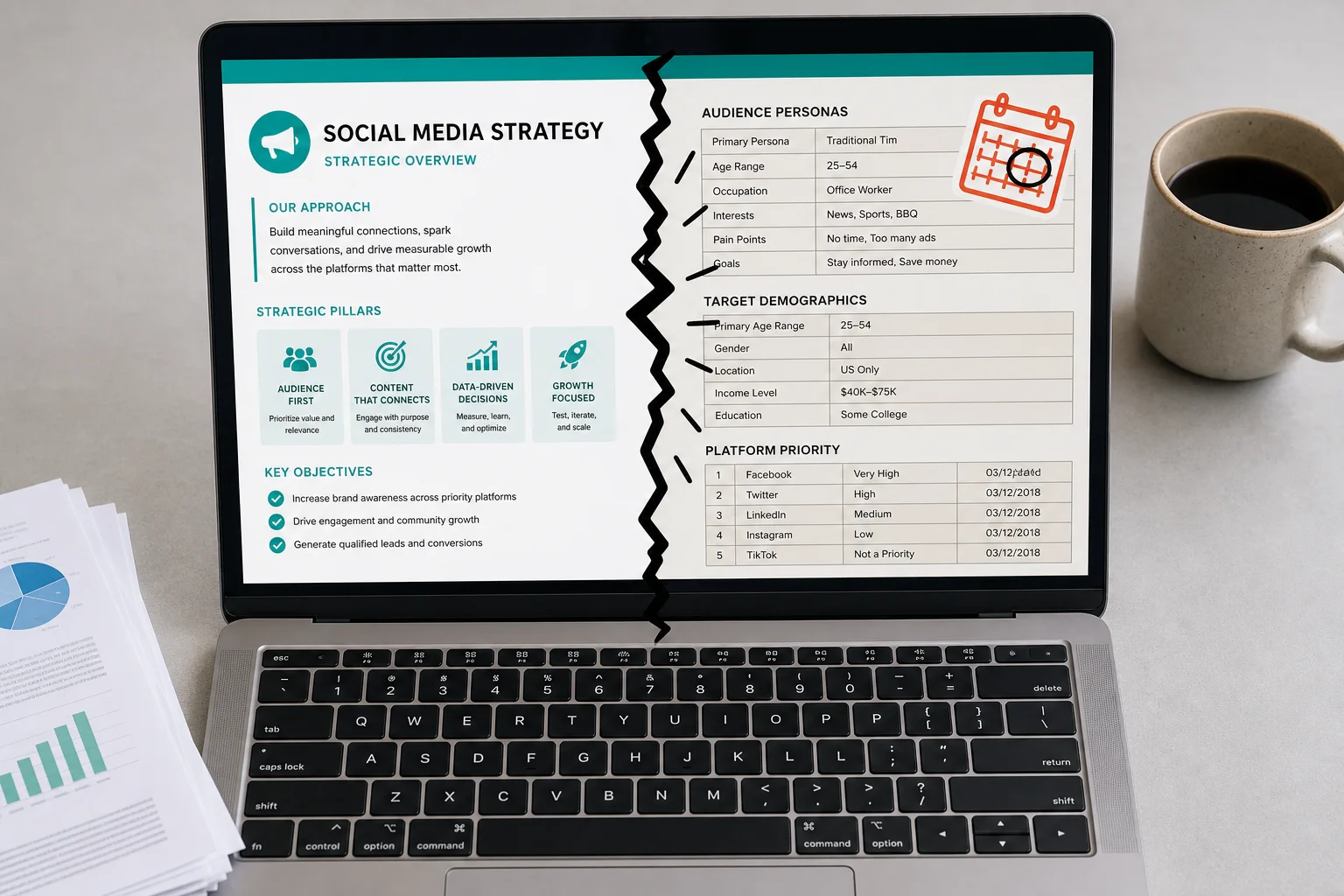
Third: a template refresh is not a strategy refresh. Reformatting your channel list doesn’t change which channels you’re actually committing to. Those are different decisions, and conflating them lets teams feel like they’ve done strategy work when they’ve done formatting work.
Fourth is committee creep. Every additional reviewer adds a note, softens a position, or requests a new section “just to cover it.” The document ends up satisfying everyone in the room and guiding no one in the field. Cap your reviewers, give someone final-say authority, and move on.
Getting the process right is what the next section covers.
Five steps, one week, done
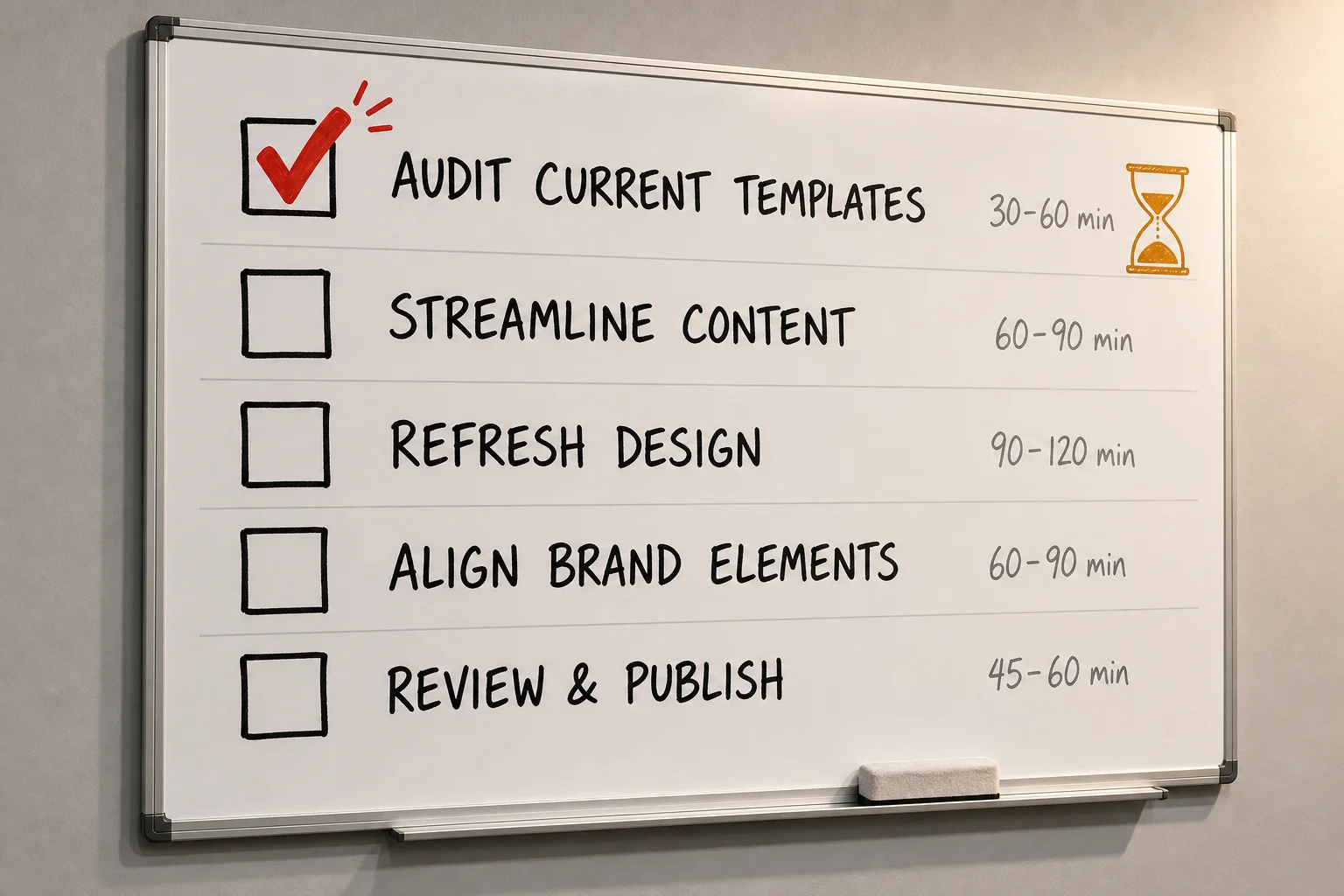
Total hands-on time: three to five hours. A fast refresh you finish beats a thorough one rotting in a shared doc for six weeks.
Audit every section for last-used date and decision impact (30 to 60 minutes). Ask two questions about each section: when was it last referenced in a real decision, and did it change what you did? If you can’t answer either, flag it. Most teams skip this step, which is why the same problems return after every refresh. You’re fixing which parts of the document anyone actually uses.
Name one decision the template fails to support (15 to 30 minutes). Pick the gap that’s caused the most confusion recently. A common one: the template lists content pillars but gives no format guidance, so every Reels versus carousel debate starts from zero.
Rewrite that section with a specific example baked in (1 to 2 hours). Skip the principles. Write a worked example. “When a product post performs better as a Reel than a carousel, lead with the Reel on Instagram and repurpose the carousel for LinkedIn” is more useful than “choose format based on audience.”
Archive anything untouched in 90 days (30 to 45 minutes). Move it, don’t delete it. If no one asks for it back within a month, delete it then.
Test the revised template against one real upcoming post before publishing it internally (45 to 60 minutes). If it doesn’t help you make a faster or clearer decision about that post, it needs another pass.
Consistency is the point, not a consolation prize
A tighter template will cost you some moments. The trending audio your competitor jumped on, the meme format that would have landed perfectly if someone had just made the call faster — a template that requires three sign-offs and a content pillar match will miss those. That’s a real cost.
But the brands that built recognizable identities at scale, whether that’s Kylie Cosmetics’ pink-on-pink Instagram grid or Adidas hammering the same hashtag across thousands of posts, did it by choosing consistency over opportunism, repeatedly and deliberately.
So before you start your refresh, pick a side. Do you want a template that makes your output predictable and your brand recognizable over time? Or one that stays loose enough to react? Both are defensible. Trying to get both, without explicitly choosing, is how you end up with a document that satisfies everyone and guides no one.
To turn this into a working system, start with the social media audit template to find the gaps, then use the social media invoice template if you manage this work for clients. For AI-assisted production, AI for social media covers the weekly workflow and the Post Remixer turns long-form content into platform-specific drafts.