
Most marketers using AI are getting mediocre results and blaming the tools. The tools are fine. The problem is the order of operations. This guide covers how to use AI for marketing in five phases — each one builds on the last, and skipping ahead is why most people end up rewriting half the output anyway. Work through them in sequence once, and the whole thing compounds from there.
Phase 1: Set Up Your AI Workspace Before You Touch a Single Piece of Content
Most people using AI in marketing are doing the equivalent of hiring a talented contractor and never giving them a key to the building. Every session starts from zero. No context about the brand, no memory of what you decided last week, no sense of who you’re writing for. The output is generic because the input is generic, and the whole experience feels like a slightly faster version of staring at a blank Google Doc.
The fix takes about 45 minutes, once. Everything else in this guide builds on it.
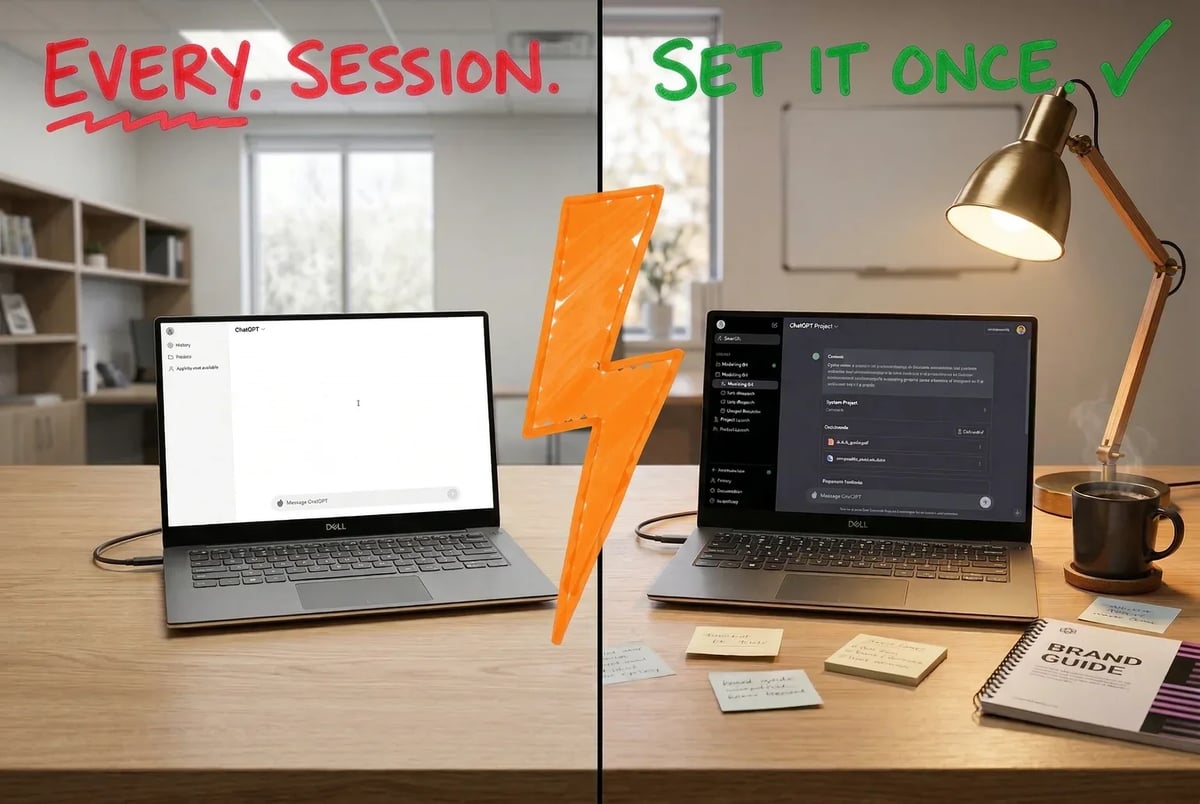
Left: starting from zero, again. Right: the 45-minute setup that ends that forever.
Set up Projects in ChatGPT and Claude
Both ChatGPT and Claude offer a feature called Projects, and it is the single most underused thing in either tool.
In ChatGPT, Projects are centralized workspaces where you group related chats, uploaded files, and custom instructions. [1] The instructions you set inside a Project override your account-level global instructions, which matters because you probably need the AI to behave differently when writing blog posts versus writing ad copy. Project context is persistent, meaning every new chat you open inside that Project already knows what you told it last time. You are not re-explaining your brand on every session.
Claude Projects work the same way. You upload documents once, and they sit in a persistent, read-only file library that every chat inside that Project can access. [8] You set a system prompt that controls Claude’s behavior across the whole Project. You can ask questions that pull from multiple uploaded files at once without re-uploading anything.
Create one Project per major content function. A reasonable starting set for a marketing team or solo consultant:
- Brand voice and content (blog posts, social, newsletters)
- SEO workflows (briefs, keyword analysis, on-page edits)
- Paid ads (copy variants, audience angles, performance notes)
- Email sequences
This structure means the AI working on your ad copy never bleeds into your editorial voice, and your SEO Project can hold your keyword data without cluttering everything else.
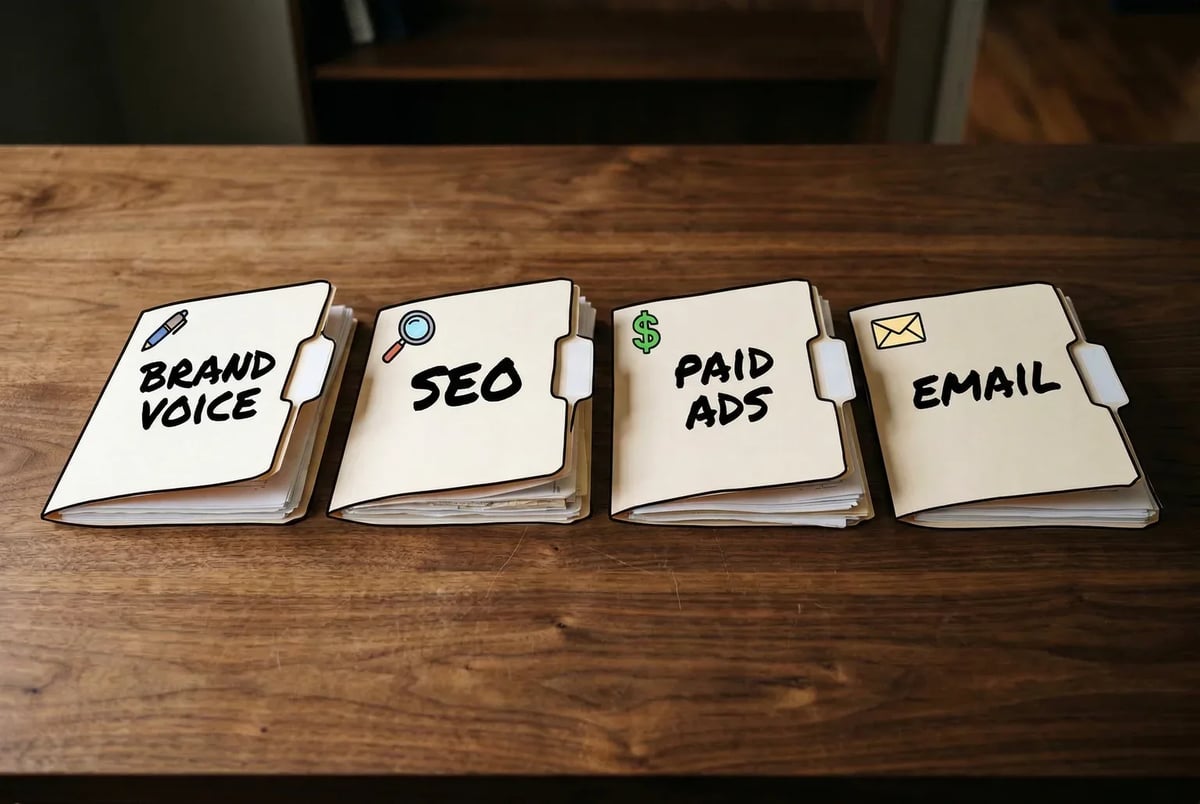
Four folders. Four AI workspaces. Zero context bleed between your ad copy and your editorial voice.
Upload your brand voice documents
This is the step people skip, and it is why their AI-generated content sounds like AI-generated content.
Gather three types of documents and upload them to each relevant Project. First, a brand voice guide if you have one. This can be a Google Doc exported to PDF, a DOCX, even a plain text file. If you do not have a formal guide, write a one-page document right now that covers: your brand’s tone (formal vs. conversational, serious vs. irreverent), things you never say, audience description, and two or three samples of writing you actually like. (If you want a head start, our brand voice generator builds one from a few of your existing posts.) That document is worth more than any prompt you will ever write.
Second, your best-performing content. Pull two or three blog posts or email campaigns that nailed the brand voice. Upload them. The model reads them as examples and calibrates accordingly.
Third, any product or service documentation that should inform the output: feature lists, pricing page copy, customer FAQs, messaging frameworks. Claude accepts PDFs, DOCX, TXT, HTML, and spreadsheets up to roughly 30MB per file. [8] ChatGPT Projects accept similar formats, with upload limits that vary by plan tier (roughly 5 files on Free, 25 on Plus, 40 on Pro or Business). [2] [9] Check your current plan on the OpenAI pricing page, since these limits update.
Write your custom instructions properly
Custom instructions in ChatGPT are two plain-text fields, each capped at about 1,500 characters. [12] Field one covers background: who you are, what your business does, who the audience is. Field two covers response preferences: tone, format, what to avoid, how to handle uncertainty.
The common mistake is treating these as a single blob of prose. Use structured formatting. Write in imperative sentences. “Write in a conversational but direct tone. Avoid jargon. Use short paragraphs. Do not add a summary section at the end.” Positive framing works better than negation where possible, but explicit “do not” instructions are fine for things the model tends to default to badly. [13]
In Claude Projects, the equivalent is the system prompt. You get more room here and slightly more flexibility with formatting. Use it the same way: role, audience, tone, format rules, things to avoid.
A quick test before you move on: open a new chat inside your configured Project and ask it to write two sentences introducing your brand to a new customer. If it sounds like you, the setup is working. If it sounds like a press release, go back and add more voice samples to the file library.
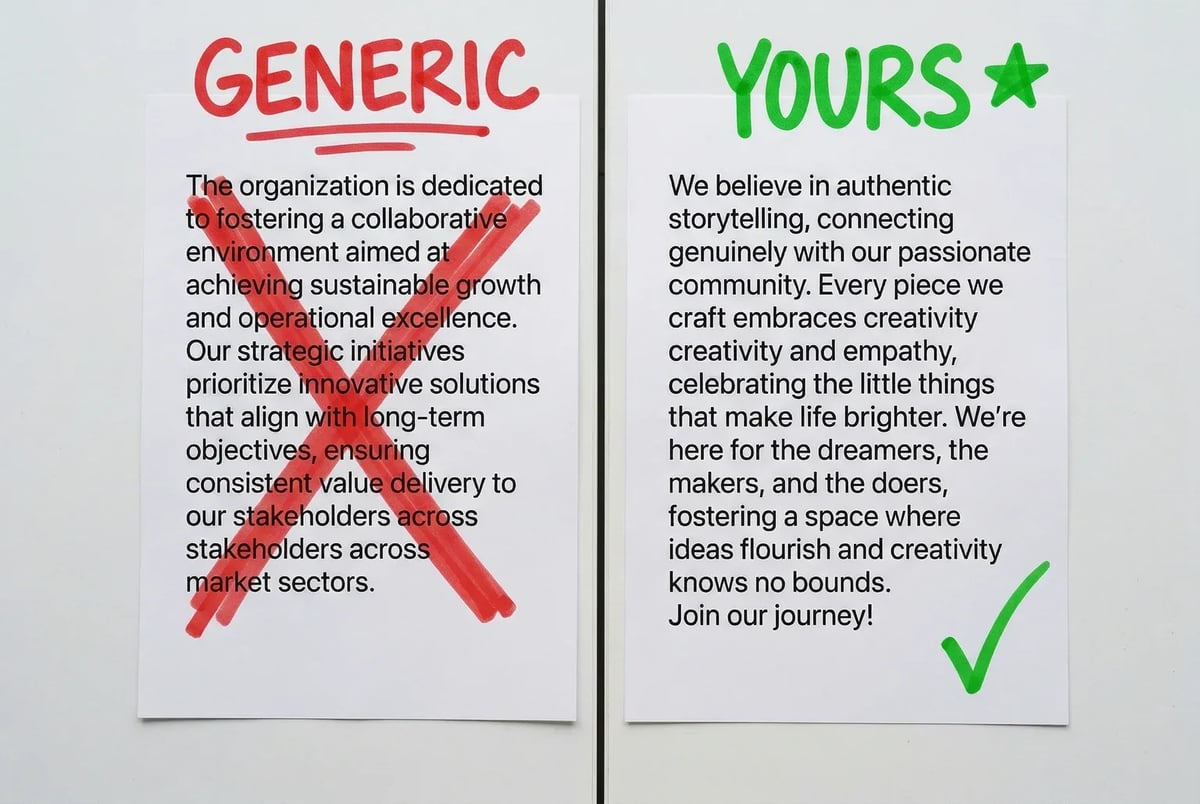
Same AI, same prompt — the only difference is what you uploaded before you started.
The one-time cost versus the ongoing payoff
Skipping this phase does not save time. It costs time, on every single session, for as long as you use these tools. Every prompt you write has to compensate for the context the tool does not have. You write longer prompts, get worse output, do more editing, and eventually conclude that AI is not that useful for your brand specifically.
The 45-minute setup is not glamorous. There is no quick win here, just a foundation that makes every phase after this one meaningfully faster. The marketers who get real mileage from AI in marketing are almost always the ones who did this first.
The setup isn’t the work — it’s what makes all the work easier.
Once your Projects are configured and your brand voice is uploaded, you have everything the next phase needs. Now you can actually start creating content, and the AI will sound like it belongs to your brand instead of everyone else’s.
Phase 2: Writing Actual Content With AI (Without It Sounding Like Everyone Else’s Content)
With your Projects configured and your brand voice uploaded, you now have something most AI users don’t: a tool that already knows who you are. Now comes the part people actually downloaded these apps for.
The default approach most marketers take is to open a chat, type “write a blog post about [topic],” watch the AI produce something technically competent and spiritually empty, and then conclude that AI content is useless. The problem is not the AI. The problem is the workflow. Here is one that works.
Start every piece in ChatGPT, finish it in Claude
This is not brand preference. It is task fit.
ChatGPT’s latest reasoning models are faster for ideation, brief generation, and high-volume short-form output. [24] [25] If you need ten LinkedIn post angles in three minutes, or you want to rapidly test five different content frames before committing to one, ChatGPT is where you start. (Or skip the prompt-writing entirely with our blog post generator, which runs this same brief-then-draft flow for you.) Open your content Project, paste in any SERP research or talking points you have, and use a prompt like this:
“I’m writing a 1,500-word blog post targeting [audience] about [topic]. Generate five angle options, each with a working title, a one-sentence hook, and three supporting points. Prioritize angles that are contrarian or concrete over generic overviews.”
You get usable material in under a minute. Pick the angle that fits. That is your brief.
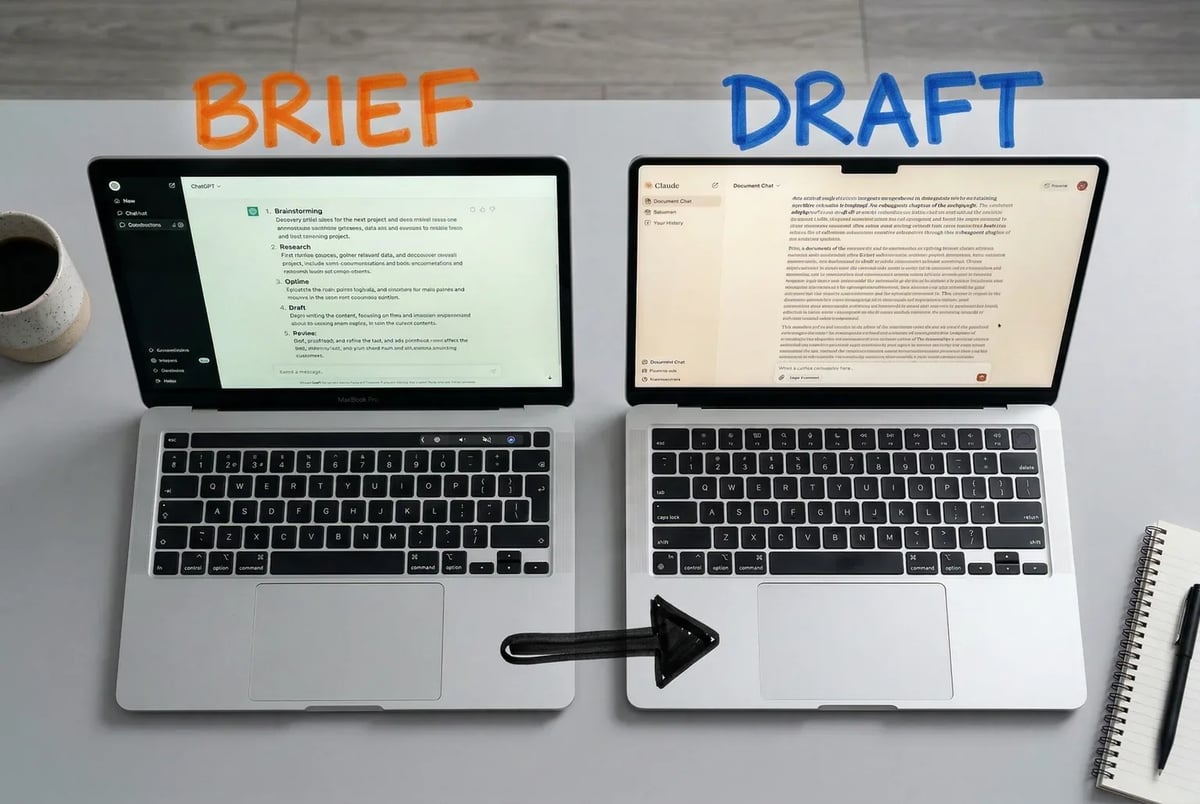
The Phase 2 workflow in two screens: ChatGPT builds the brief, Claude builds the draft.
Now take that brief into your Claude Project. Claude holds tone consistency across long documents better than ChatGPT does, which matters when you are writing 1,200 words and you do not want the third section to sound like it was written by a different person. [16] [18] The large context window means it can hold your uploaded brand voice guide, the brief you just generated, and the full draft simultaneously without losing the thread.
Your prompt in Claude:
“Using the brand voice guide in this Project, write a full draft of the blog post based on the brief below. Match the tone of the uploaded sample posts. Use short paragraphs. Do not add a summary section at the end. The audience is [description]. Here is the brief: [paste brief].”
What comes back is not a published post. It is a solid first draft that sounds roughly like you, has the structure you asked for, and does not require you to rewrite the entire thing from scratch. The editing pass is real but short. Solo operators running this workflow report getting from brief to first draft in around 30 minutes once the setup is in place. [10]
Social content: batch it, don’t babysit it
If you are producing social content one post at a time, you are using about 10% of what ChatGPT is good at. The better approach is batching.
Once a week, open your ChatGPT content Project and run a single prompt:
“Based on the blog post below, generate 10 LinkedIn posts. Mix formats: two data-point hooks, two opinion takes, two short stories from the post’s main idea, two questions, and two direct tips. Write each post as a standalone piece, not a teaser. Keep each under 200 words.”
Paste the blog post below the prompt. You get ten posts in about forty seconds. Not all ten will be good. Four or five will be close to publishable with minor edits, which is still a full week of content from one prompt. (Our post remixer does this same blog-to-social transformation in one click if you want to skip writing the prompt every time.)
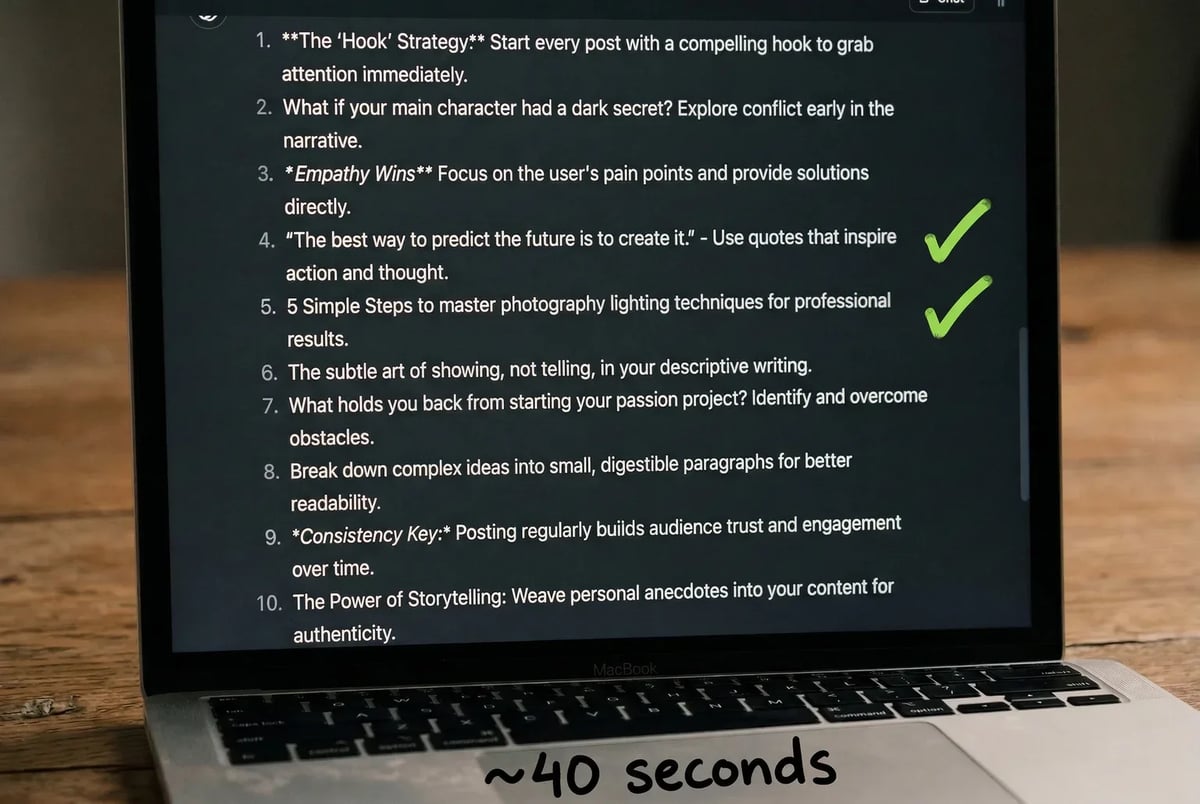
Ten LinkedIn posts from one prompt — the checkmarks are the only editorial work left.
The critical thing: run this inside your configured Project, not a new chat. Without the brand voice context, what you get back is fluent and generic. With it, at least the tone and vocabulary land in the right neighborhood.
Video scripts: give it a structure, not just a topic
Video scripts are where people get lazy with prompts and then frustrated with output. “Write a script about X” produces an intro that sounds like a YouTube tutorial from 2017. The fix is to specify structure explicitly.
ChatGPT handles script generation well when you tell it the format. A prompt that works:
“Write a 60-second video script for [platform]. Structure: hook in the first 5 seconds (start mid-thought, no ‘hey guys’), two concrete points, one specific example, a single clear call to action at the end. Write for someone speaking conversationally, not presenting. Topic: [topic]. Audience: [audience].”
If you want the script to sound like you specifically, run it through Claude after. Paste the ChatGPT draft and add: “Rewrite this in the voice of the sample posts in this Project. Keep the structure. Change the phrasing.”
This two-pass approach takes about five minutes total and produces a script you can actually read aloud without cringing.
The quick win for this phase
Before you build the full batch workflow, do this one thing: take a piece of content you already published that you are proud of, paste it into your Claude Project, and ask: “What specific patterns in this post define my writing voice? List ten.”
Read the list. If it is accurate, paste it into your custom instructions or system prompt as explicit rules. You have now given the AI a distilled version of your style that is more precise than any brand guide you could write from scratch, because it was extracted from your actual work rather than your aspirations about your work.
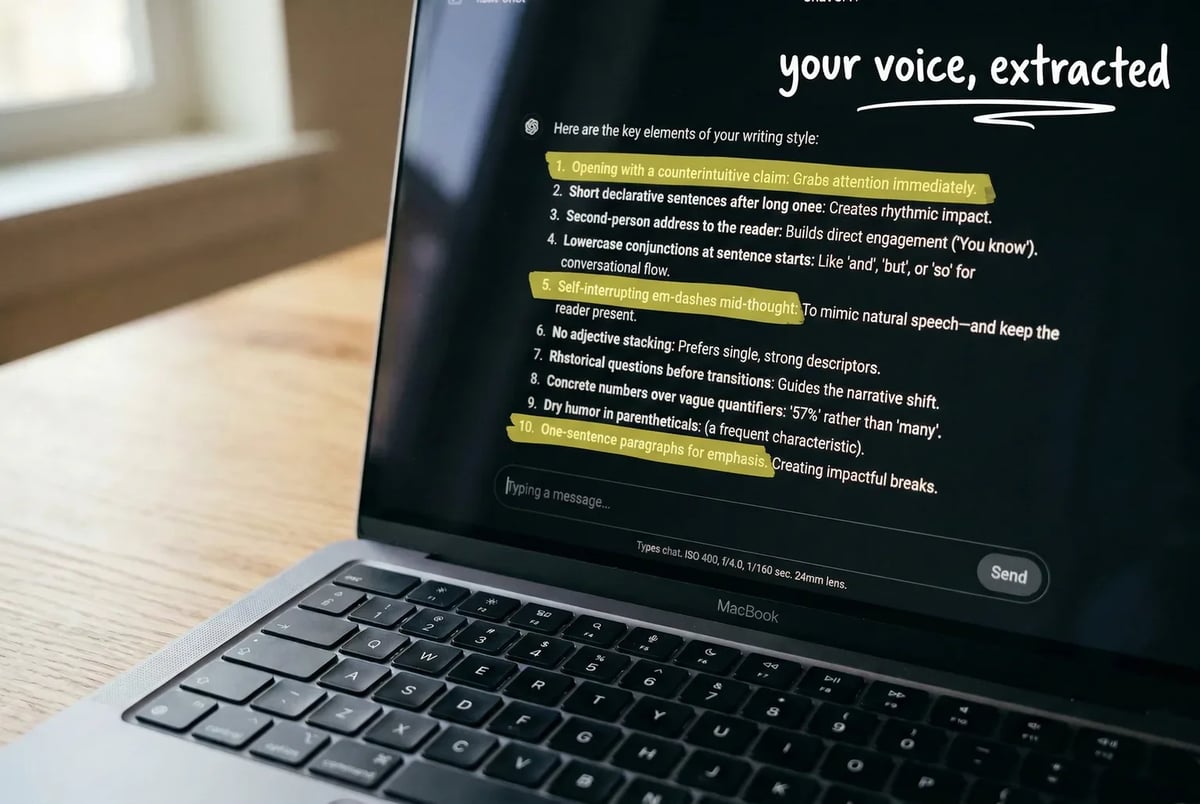
The numbered list the AI returns isn’t a summary, it’s a style ruleset extracted directly from your own published work.
That list travels with every piece of content you generate in this Project from now on. The baseline quality goes up, the editing time goes down, and you stop spending twenty minutes per piece correcting for things the AI could have known if you had told it.
The next phase uses a similar setup but points it at a completely different problem: getting that content to rank.
Phase 3: Getting AI to Actually Help You Rank (Not Just Write)
Content is only useful if people find it. This phase covers the part of the SEO workflow that most marketers skip entirely when they add AI to their process: using it to figure out what to write before you write a word of it.
The workflow here has three stages. Keyword research and clustering. Content brief creation. On-page optimization. Each one has a tool that fits it well, and using the wrong tool for the stage mostly just wastes time.
Stage 1: Keyword clustering without the spreadsheet hell
The traditional approach to keyword research involves pulling a list of 300 terms, exporting them to a spreadsheet, manually grouping them by intent, and spending an afternoon you will never get back. Semrush’s Keyword Strategy Builder automates most of that. (If you want a free starting point that handles clustering and intent tagging without a Semrush subscription, our keyword planner covers the basics.)
Here is the actual workflow. Start with Semrush’s Organic Research tool and pull your top competitor’s keyword positions. Export that list. Then feed it into Keyword Strategy Builder. The tool clusters your keywords into Topics and Pages automatically, using intent signals, SERP overlap, and semantic similarity to decide which keywords belong together and which need separate pages. [1] Each cluster comes out with primary and secondary keywords, intent tags, search volume, and a PKD% (Personal Keyword Difficulty) score calculated relative to your specific domain. [6]
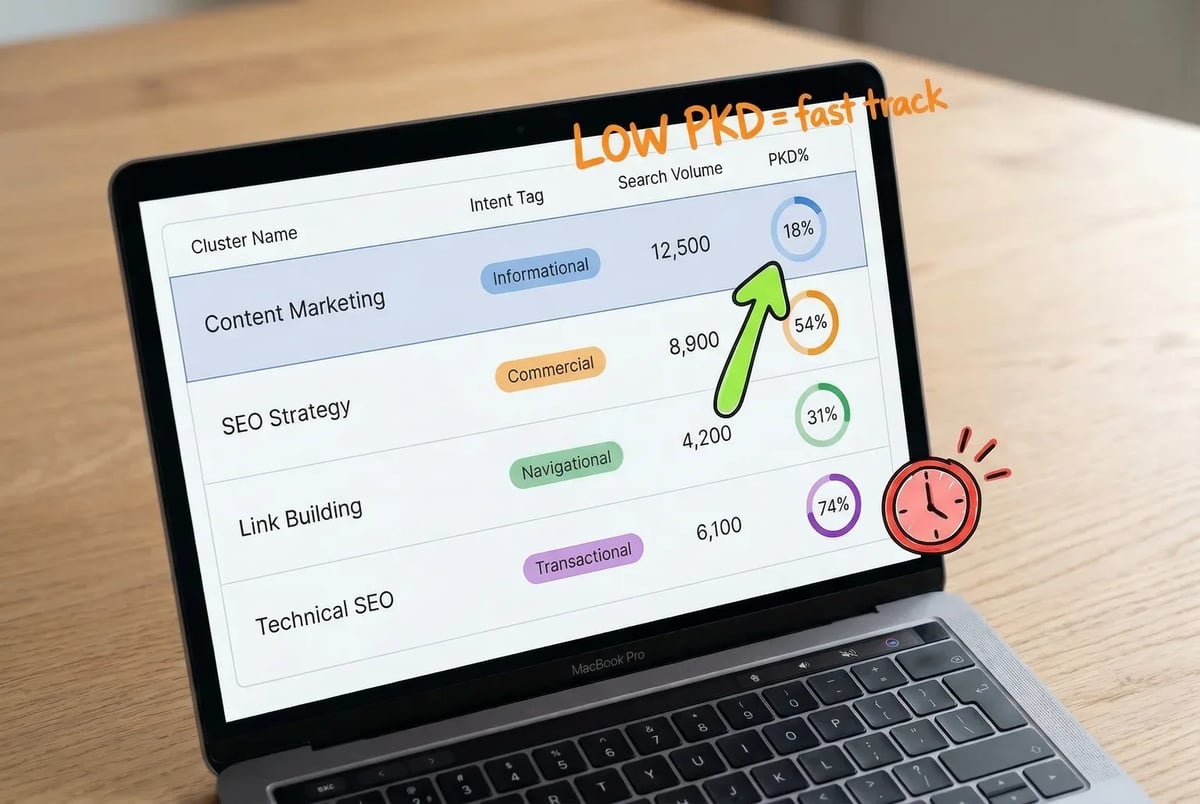
Semrush’s Keyword Strategy Builder clusters keywords by intent and SERP overlap, outputting a table that doubles as a prioritized content calendar.
What you get at the end is not a keyword list. It is a prioritized content calendar. The clusters with decent volume and low PKD are your fast-track targets. The high-volume, high-difficulty clusters are your long-game pages.
Ahrefs takes a slightly different angle. Its AI intent filters and Keywords Explorer presets lean toward topic-authority analysis rather than raw volume targeting, which makes it better suited to situations where you are trying to own a content category rather than chase individual terms. The AI Content Helper (launched in beta in late 2024) analyzes target keywords and SERP results to map the topics your draft needs to cover to be competitive, then scores your draft against what is already ranking. If you are building out a content cluster and need to understand topical coverage rather than just keyword density, that scoring feedback is genuinely useful.
Neither tool requires you to know what clustering algorithms do. You put keywords in, grouped content structure comes out.
Stage 2: SERP gap analysis with a reasoning model
Before you write the brief, do a five-minute SERP gap check. This is where a reasoning model earns its keep.
Pull the top 10 results for your target keyword. For each result, copy the URL, title, and a one or two sentence summary of what the page actually covers. Paste all of that into ChatGPT and use a prompt structured like this:
“Below are the top 10 SERP results for the keyword [keyword]. For each result, classify the content type (listicle, guide, tool page, etc.) and the primary angle. Then identify five to ten content-angle gaps — topics, framings, or audience perspectives that appear weakly covered across these results. Finally, suggest three specific content angles I could use, each with a working title, a proposed H2 structure, and a one-sentence justification for why it has a chance to rank. Here are the results: [paste list].”
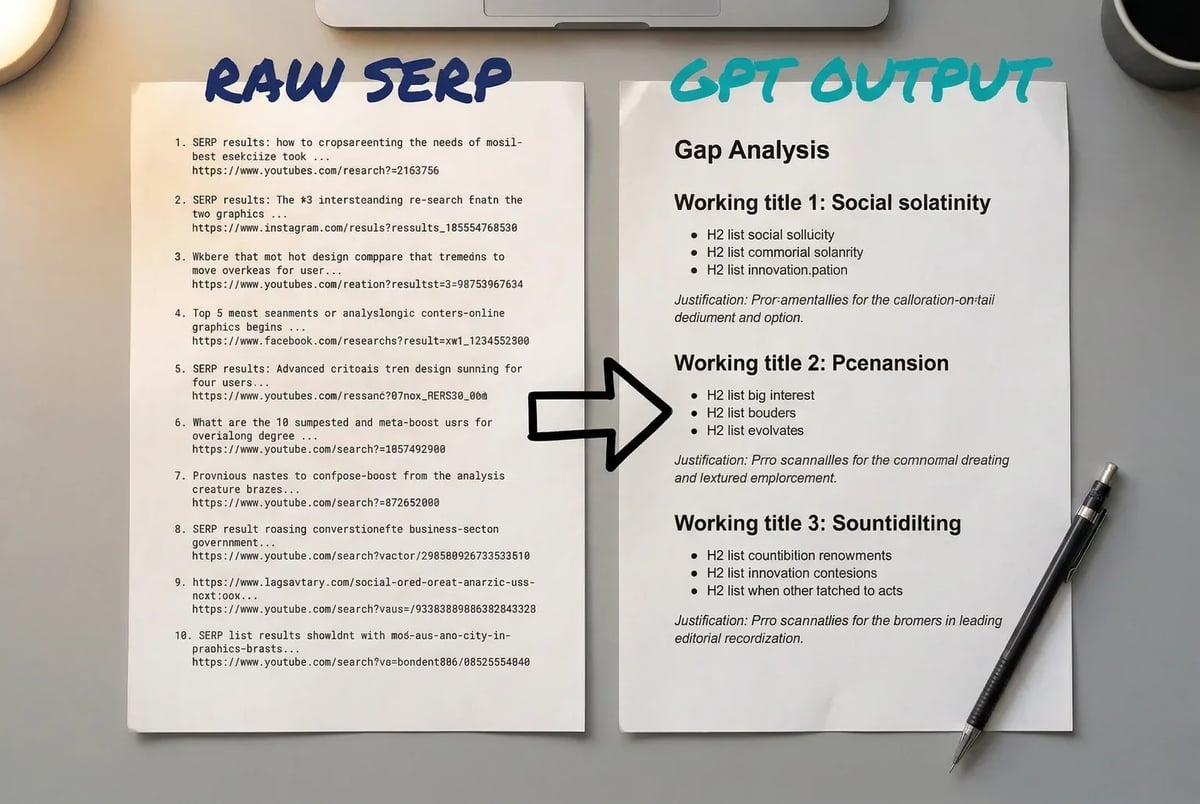
A structured GPT prompt turns a raw list of SERP results into a gap analysis with working titles, H2 structures, and ranking justifications in minutes.
What comes back is not always perfect, but it is a structured starting point that would take a human analyst thirty minutes to produce manually. [43] The quality depends on how accurate your SERP summaries are, so do not just paste titles alone. A few sentences of actual content context per result makes a real difference in output quality.
Stage 3: Brief to on-page copy in one handoff
Once you have a target angle and keyword cluster, the brief writes itself quickly. Semrush lets you export directly from Keyword Strategy Builder to its SEO Writing Assistant, which adds on-page recommendations as you draft. [6] If you are working outside Semrush, take your cluster data, your SERP gap analysis output, and your content angle into Claude and prompt it to produce a structured brief: target keyword, secondary keywords, audience, angle, proposed H2s, and any specific topics the SERP gap analysis flagged as missing.
Then use that brief to generate your draft per the Phase 2 workflow. When the draft is done, paste it back into Ahrefs’ AI Content Helper or Semrush’s SEO Writing Assistant for a coverage check. Both tools flag topical gaps between your draft and the top-ranking competitors. Fix the gaps it identifies. That second pass is the part most people skip, and it is the difference between a post that almost ranks and one that does.
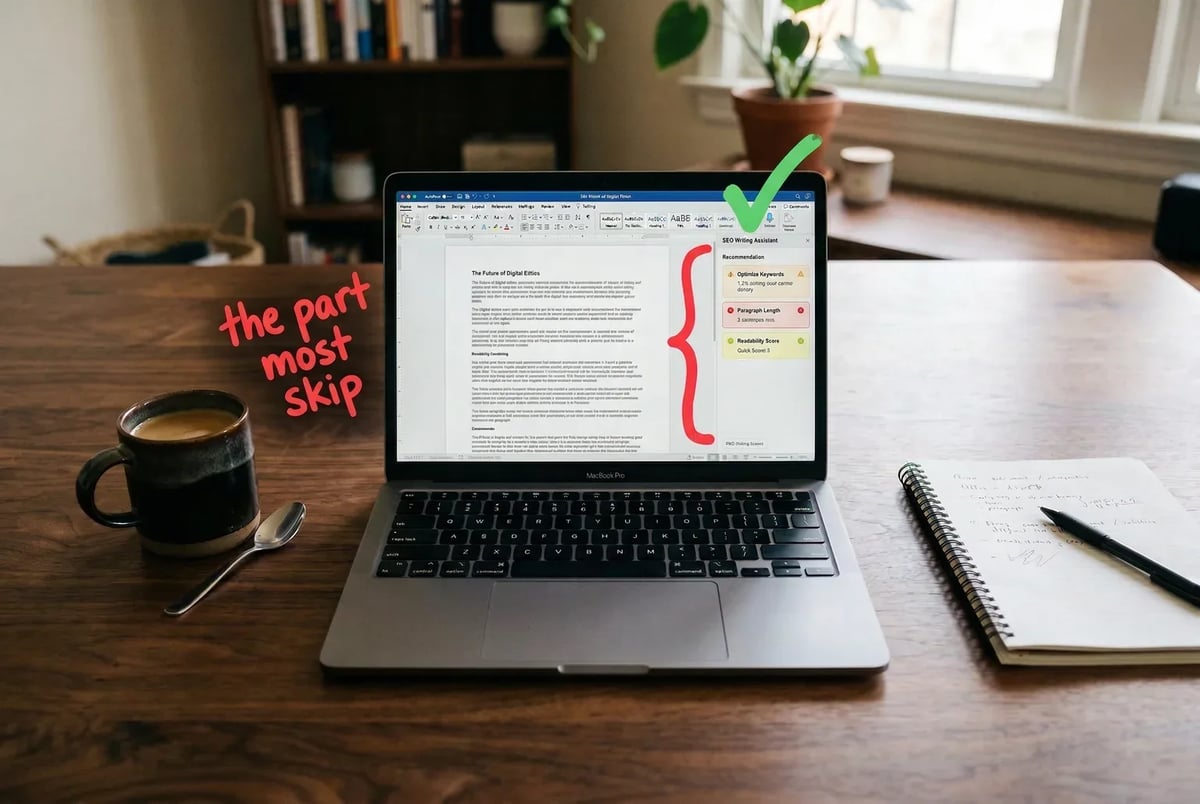
Pasting your draft into Semrush’s SEO Writing Assistant surfaces topical gaps against top-ranking competitors — the second pass most writers skip.
The manual time savings here are real. Keyword clustering alone, done manually in a spreadsheet, can take several hours for a modest list. The Semrush workflow compresses it to under twenty minutes for most keyword sets. [10]
Quick win for this phase: run your single highest-traffic existing post through Ahrefs’ AI Content Helper. Check the topical coverage score. If it is below your top competitor’s score, add sections covering the flagged gaps. Updating existing content this way is faster than publishing new posts and often produces ranking movement within weeks rather than months.
Phase 4: Stop Writing Emails One at a Time
Most marketers write email sequences the same way they wrote essays in school: one at a time, staring at a blank document, wondering why the words feel hollow. The sequence takes two weeks to write. It gets sent once. And then it sits in an ESP folder, slowly becoming irrelevant.
AI does not make you a better email copywriter. What it does is collapse the time between “I need a nurture sequence” and “I have a nurture sequence I can actually test and improve.” That gap is where most email marketing dies.
Building a five-email sequence in under an hour
The key is the prompt. Vague input produces vague output, and “write me a welcome sequence” will get you something that sounds like every other welcome sequence on the internet. What actually works is loading the model with specific context before you ask it to write anything.
Open a Claude or ChatGPT Project you already set up in Phase 1 (the one with your brand voice file). Then paste in a prompt structured like this — or skip the prompt-writing entirely and use our email pitch generator, which runs the same nurture-sequence flow for you with the brand-voice context already loaded.
“Write a 5-email nurture sequence for the following: Target persona: [describe them in two sentences — job title, main frustration, what they want]. Product or service: [name it, and explain what problem it solves]. Sequence goal: [e.g., book a discovery call / start a free trial / make a first purchase]. Timing: Email 1 sends immediately on signup, Email 2 on Day 2, Email 3 on Day 5, Email 4 on Day 8, Email 5 on Day 12. Tone: [conversational and direct / formal / warm and educational]. Format each email with: Subject line, Preview text, Body copy, CTA. Use {FirstName} as the personalization token.” [45][46]
The structure it should follow: Email 1 delivers whatever you promised (lead magnet, welcome gift, free resource) and sets expectations. Email 2 gives a quick win or useful tip they can use immediately. Email 3 goes deeper on the core problem your product solves. Email 4 brings in social proof — a case study, a testimonial, a result. Email 5 makes a clear offer, ideally with a reason to act now. [45][46][49]
What comes back is a full draft. It will need editing — the CTAs may be too generic, the tone may drift by Email 4, and it will not know your specific customer stories. But you are editing, not writing from scratch. For most sequences, the editing pass takes thirty to forty minutes. The whole thing is done in under an hour.
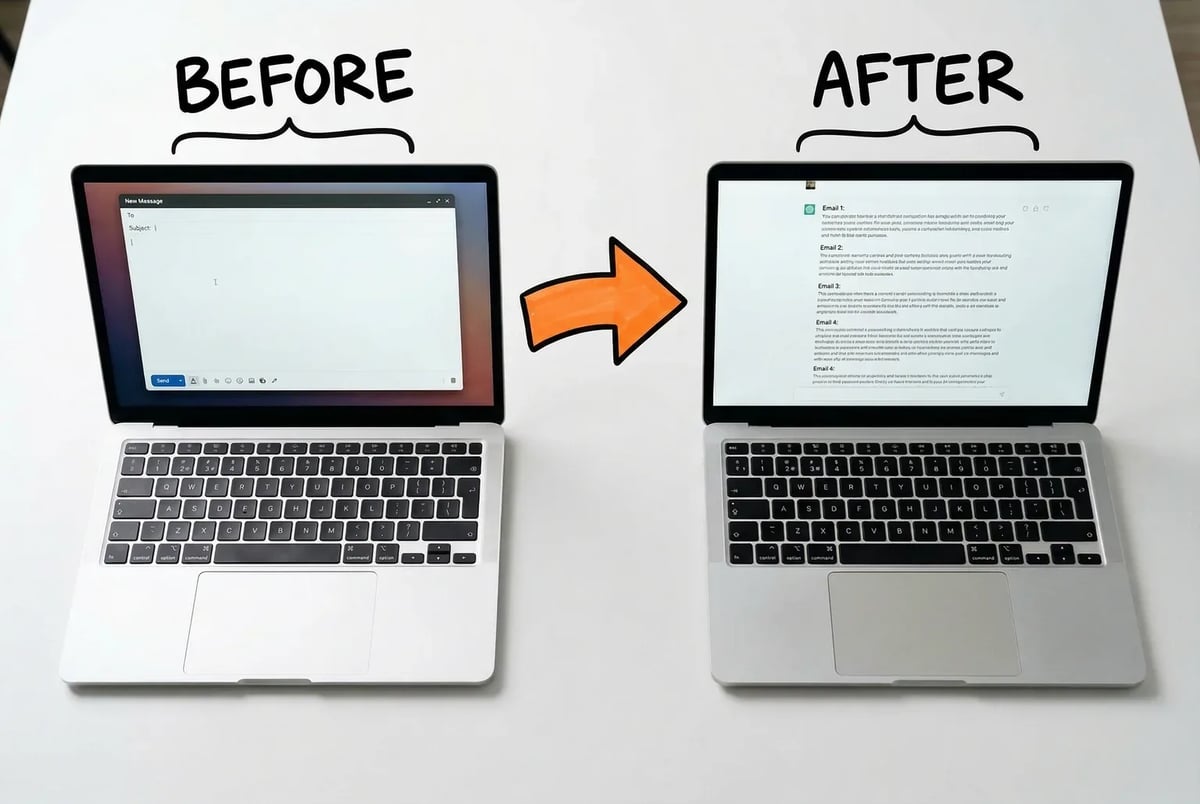
The difference between a blinking cursor and a five-email draft is a well-written prompt.
Subject lines: generate many, filter fast, test what survives
A single subject line is a guess. Thirty subject lines is data.
The workflow here is straightforward. Take your campaign context — the email topic, the audience segment, the goal, the tone — and ask the model to generate twenty to thirty subject-line variants. Ask it to cover different angles: urgency, curiosity, value statement, personalization, question format, short versus long. This takes about two minutes and produces a set of candidates you could not generate manually without burning significant time. [55][57]
Then filter before you test. Paste your shortlist back into the model and ask it to flag anything over fifty characters (gets cut on mobile), anything that contains spam-trigger patterns (excessive punctuation, all-caps words, phrases like “free” or “act now” that attract filters), and anything with readability below a conversational level. [57][58] You are not asking AI to pick the winner. You are using it to disqualify the obvious losers before you spend send volume on them.
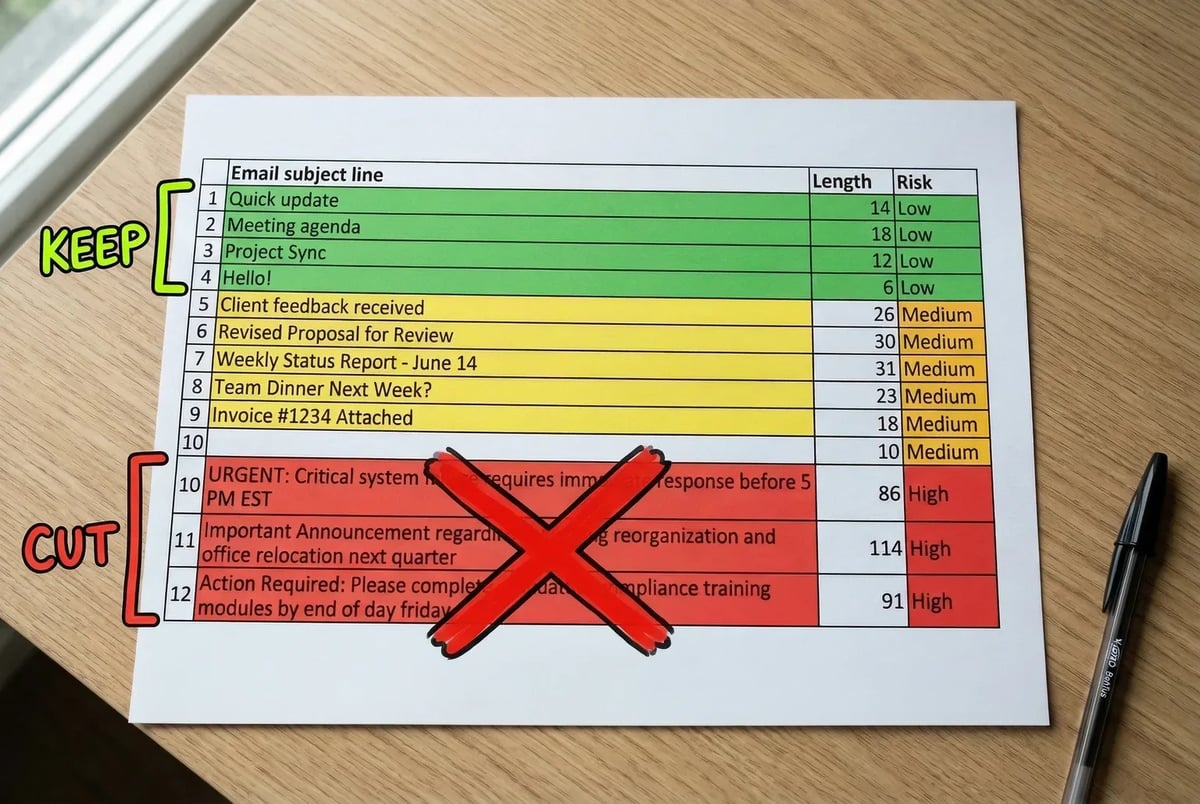
Filter first: use AI to kill the obvious losers before you burn send volume finding out the hard way.
What you are left with is a smaller set of genuinely testable candidates. Run those through multivariate testing in your ESP. Tools like Mailjet, HubSpot’s Campaign Assistant, and Mailmodo have built-in AI subject-line generation and predictive scoring baked in. [57] If you are using an ESP without native AI features, the generate-then-filter workflow above runs entirely in ChatGPT or Claude.
Performance claims in this space are optimistic in vendor materials — you will see ranges like “20–40% higher open rates” cited in platform marketing, and the JOANN case circulates as a notable example. [57][58][59] Real results vary considerably based on list quality, industry, and how differentiated your subject lines actually are. The honest expectation is that better subject-line testing habits produce meaningfully better open rates over time, not overnight.
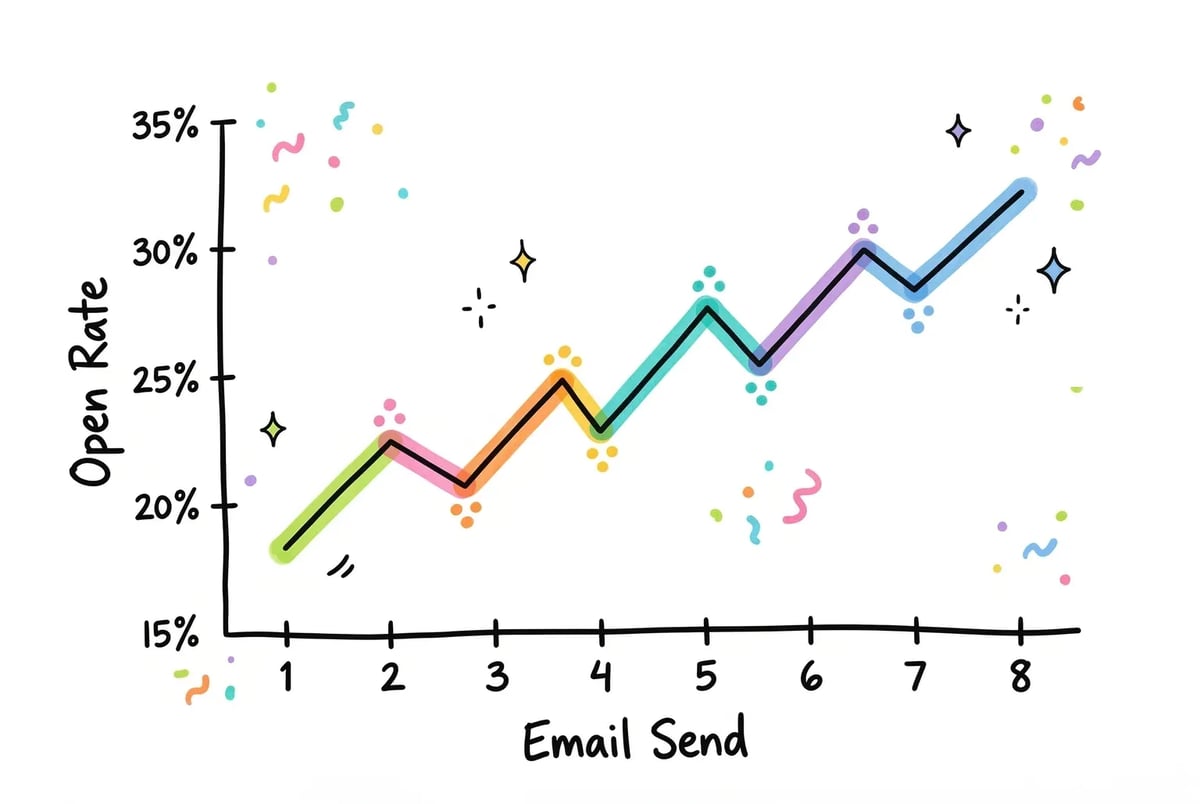
Open rates improve the way skill does — not overnight, but visibly, across enough reps.
The quick win for this phase
Pull one existing email that has a below-average open rate. Paste the subject line, preview text, and first paragraph into Claude. Ask it to generate ten alternative subject lines and flag which of the current elements is most likely suppressing opens. Fix what it identifies. Reactivate the email. That single test will teach you more about AI-assisted email copy than reading about it will.
Phase 5: Paid Ads Are Mostly a Creative Volume Problem — AI Fixes That
Here is what the paid ads workflow actually looks like for most small teams: one creative, run into the ground, refreshed every few months when someone notices performance cratering. The bottleneck is not budget or strategy. It is the sheer labor of producing enough variants to test anything meaningful.
AI addresses that specific problem very well. It handles the volume. What it does not handle is judgment — knowing which creative direction to pursue, whether the offer is compelling, or why a campaign that looked good on paper is quietly bleeding money. Keep that division clear and you will avoid the main mistake people make when they bring AI into paid ads, which is automating their way into confident mediocrity.
Static creative: Nano Banana 2 inside Google Ads
For static ad creative, Google’s Nano Banana 2 (the image generation model marketed as Gemini 3.1 Flash Image) is the most practical option if you are running Google or Display campaigns. [60] It generates production-quality images up to 4K, with notably better in-image text rendering than most competing models, which matters for ad creative where the headline often lives inside the visual. [61] [65]
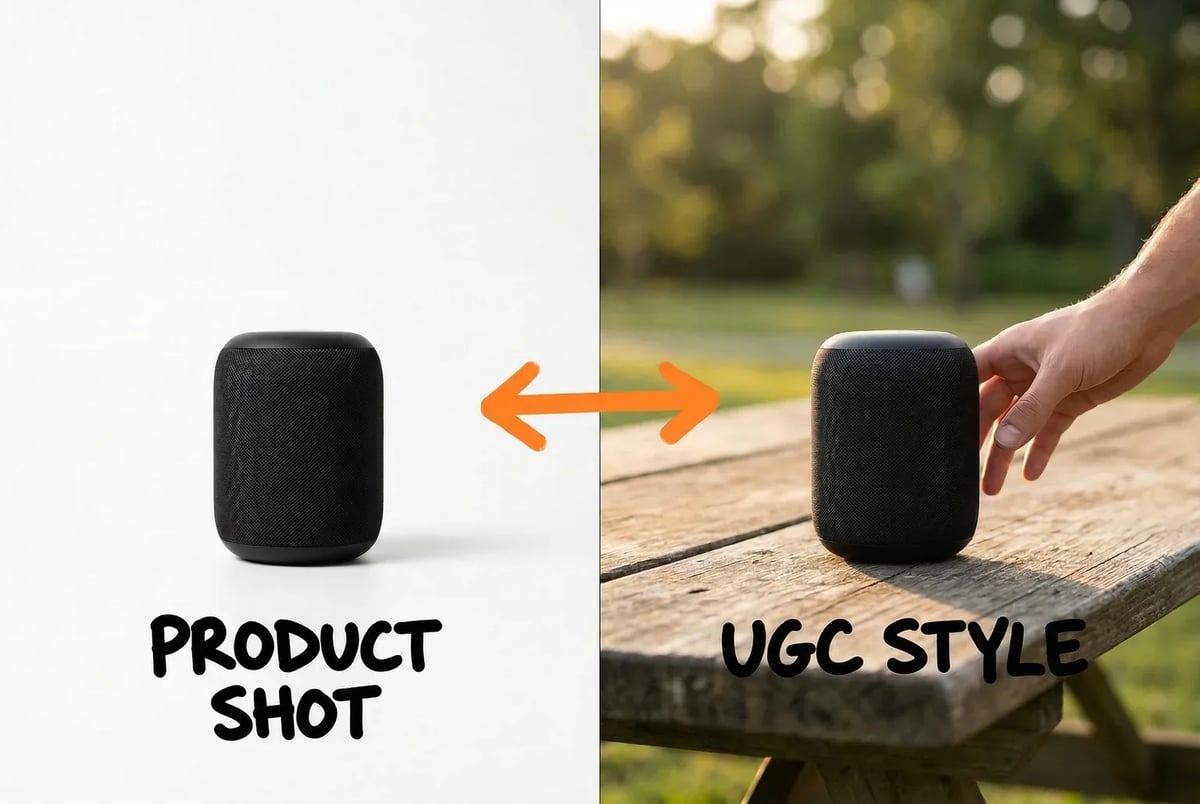
Nano Banana 2 can generate the same product in multiple visual styles — product-only and UGC-lifestyle — from a single reference image and a changed style prompt.
The inputs that matter: write a detailed prompt that specifies the subject, the visual style (lifestyle, product-only, UGC-style, flat lay), and the exact aspect ratio for the placement you are targeting. For a Performance Max campaign, you will want 1:1 for the square assets, 4:5 for the portrait slot, and 1.91:1 for the landscape. Generate each ratio separately. If you are advertising a specific product, upload a reference image so the model has something concrete to work from rather than hallucinating a generic stand-in. [63]
One thing to check before you use the output in any paid placement: Nano Banana 2 applies watermarks to some generated images, and commercial use terms across Google’s various access tiers are worth reading before you hand anything to a media buyer. [65] [66] This is not a reason to avoid the tool, but it is a reason to verify before you are three days into a campaign launch.
Quick win: take your three best-performing static ads and use Nano Banana 2 to generate five variants of each — same subject, different visual style (e.g., product on white, product in context, UGC-style). You now have fifteen assets to test instead of three, and the whole process takes under an hour.
Video ads: Veo 3.1 for short-form clips
Veo 3.1 generates short-form video clips at up to 1080p/2K, with base outputs around eight seconds. Clips can be extended by chaining them via scene extension to hit fifteen or thirty seconds, which is exactly the format most social video placements want. [70] [71] The model includes native audio sync, meaning dialogue and ambient sound are generated with the video rather than added in post.
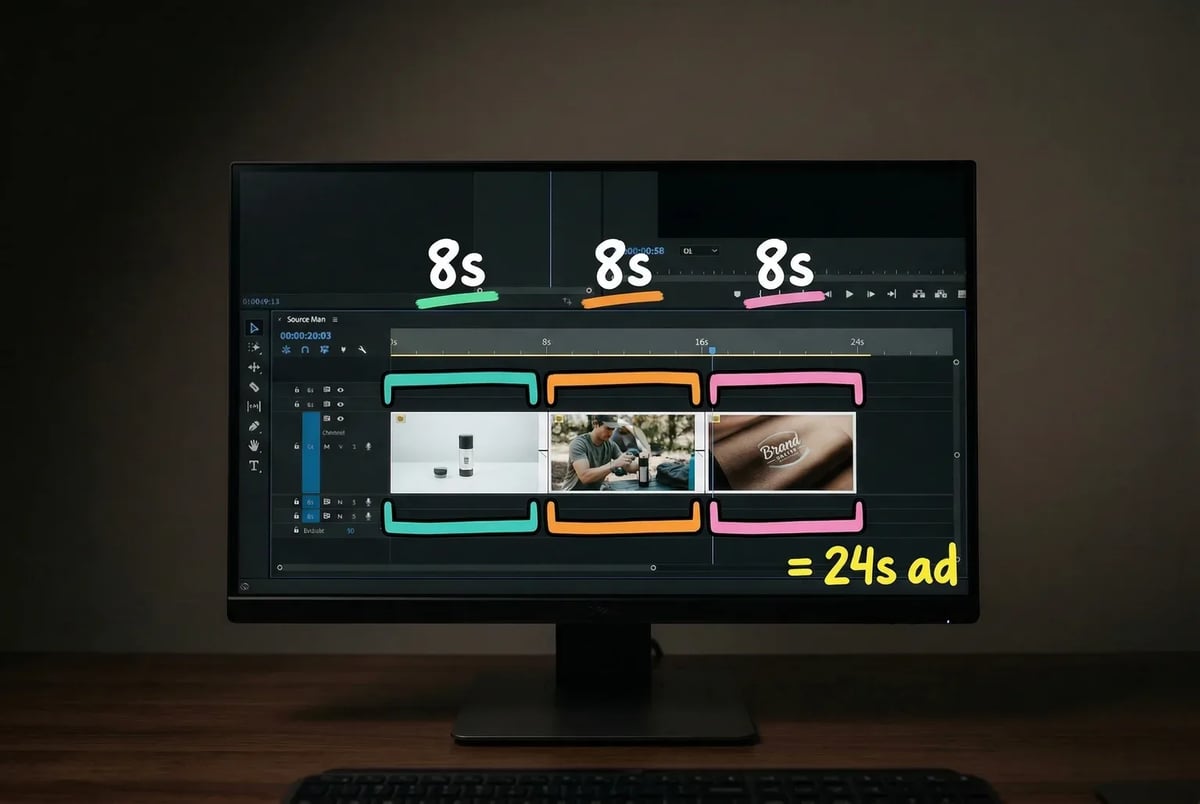
Three 8-second Veo clips chained via scene extension equal one 24-second social ad unit — no post-production stitching required.
The practical use cases for smaller advertisers are product demos, local business ads, and regional variants where you want the same concept cut differently for different audiences. [68] [69] Full commercial access typically requires an enterprise tier through Vertex AI or the Gemini API, so if you are a solo operator or small agency, check current pricing before building a workflow around it. Industry figures from agencies using this model for clients run roughly in the $500 to $1,500 per month range per client for multiple video variants. [71] Whether that math works depends entirely on what you are currently paying a production team to do the same thing.
Copy variants: generate many, test fewer
The copy side of paid ads is where ChatGPT earns its place in the workflow. Open a Project that has your brand voice loaded (from Phase 1), and paste in your current best-performing ad copy. (Our sales copy generator does the multi-angle variant generation in one click if you don’t want to write the prompt yourself, and the landing page copywriting guide covers the page those ads send people to.) Ask the model to generate fifteen headline variants and ten description variants, each testing a different angle: price value, outcome-focused, social proof, fear of missing out, specificity of the result. Ask it to flag which variants are above thirty characters so you can check fit for character-limited placements.
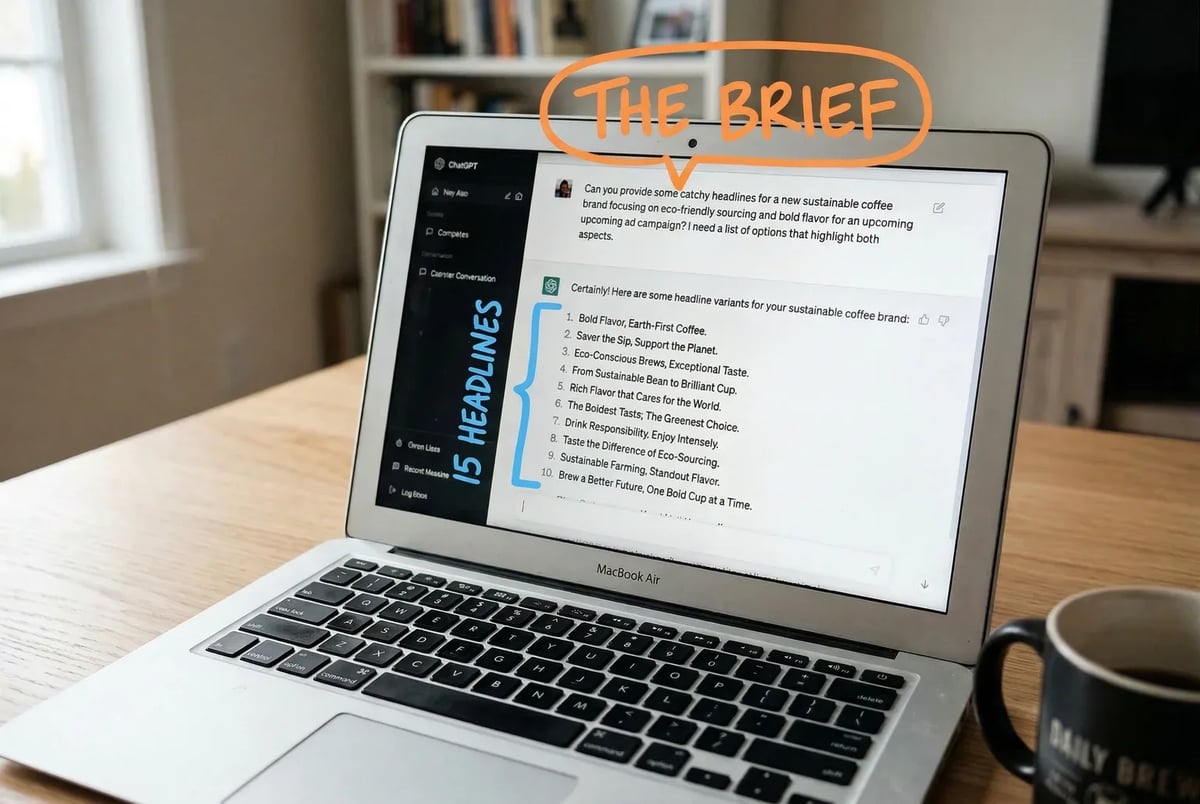
Paste your best-performing ad into ChatGPT with a structured brief and get 15 headline variants testing different angles in under a minute.
What you do with that output is exactly what you would do with copy a human junior wrote: you read it, cut what is obviously wrong, keep what has a real hook, and test the rest. The model does not know what your customer actually responds to. Your account data does.
Campaign optimization: where human judgment is non-negotiable
A GPT-based workflow can ingest your search term reports, spend data, and conversion data, then identify wasted spend, flag low-performing keyword clusters, and output A/B test hypotheses ranked by a prioritization framework like RICE. [74] That is genuinely useful, especially when you are staring at a cluttered account and do not know where to start.
What it cannot do is make the call. It will tell you that a keyword cluster is underperforming. It will not know that you are intentionally holding that cluster for a seasonal push in six weeks. Every optimization recommendation AI produces requires a human to read it with the full context of what is actually happening in the business.
Use AI to build the shortlist. Make the decisions yourself.
The Tools Will Keep Changing — Here Is What Stays the Same
One disclaimer before you build anything: every specific model name in this guide will be wrong eventually. That is not a flaw in the guide. It is just how this works. OpenAI, Anthropic, and Google each ship major model updates roughly every three to six months, averaging two to four significant releases per year per provider. [75] [76] Claude 3.5 became Claude 4. GPT-4o became GPT-5. Gemini 1.5 became 2.5. The names drift; the underlying logic of which tool to use for which task does not.
The practical rule: before you commit a model to a workflow, verify it still exists and has not been superseded. The OpenAI models page and release notes are updated when versions change. Anthropic and Google DeepMind both maintain equivalent documentation pages. Third-party comparison blogs often lag by months, mixing official releases with rumored capabilities, so primary source first. [81] [82] Any tool you pick today may have a newer version available by the time you finish setting up Phase 1. That is fine. The workflow below transfers to whatever the current generation happens to be.
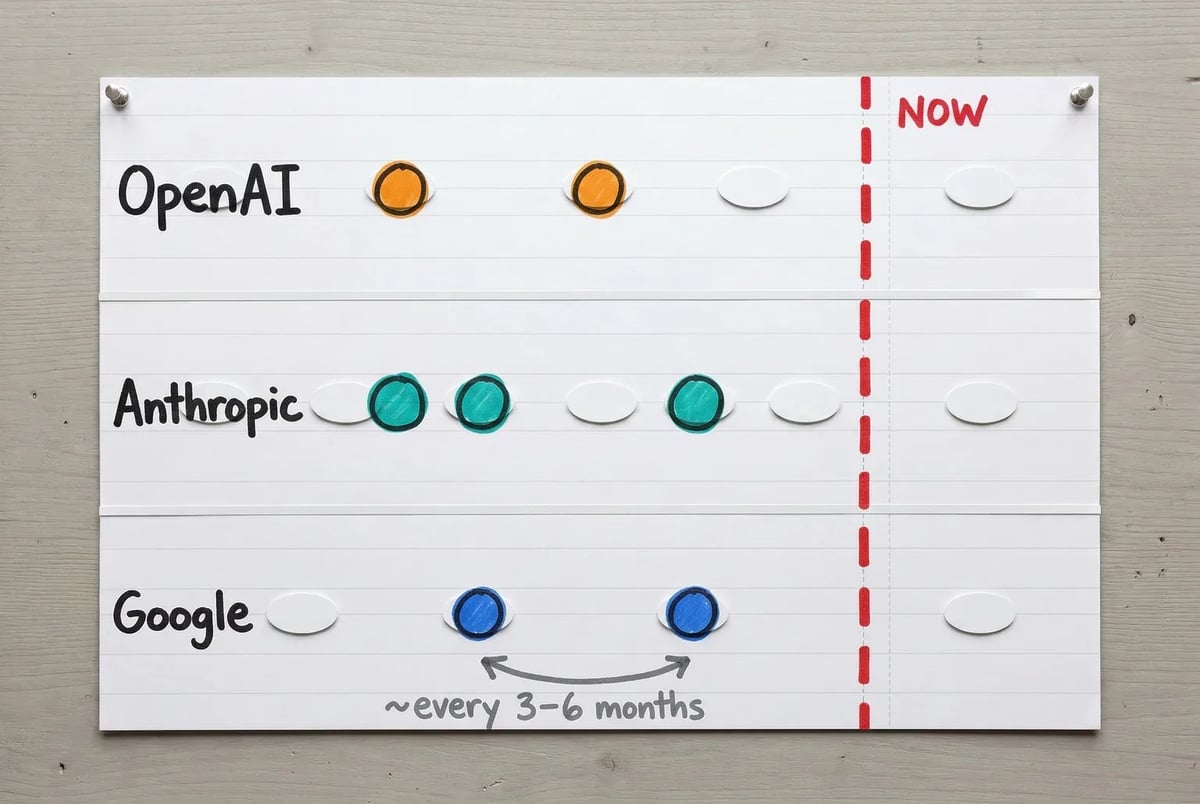
Major AI model releases have come roughly every 3–6 months across OpenAI, Anthropic, and Google — the workflow below is designed to outlast any single version.
What a week actually looks like when all five phases are running
The five phases in this guide are not five separate projects. They are one workflow split across a week. Here is how a solo consultant or small team might run it once everything is set up:
Monday is planning. You open your Projects (ChatGPT or Claude), review what content, SEO, email, and ads need attention this week, and use your AI workspace to generate briefs, keyword clusters, and a prioritized task list. Thirty to forty-five minutes. You are not creating anything yet — you are deciding what to create.
Tuesday is content. You write. The AI drafts, you edit, you publish or schedule. If you have a blog post due, the AI-generated brief from Monday drives the structure. If you have social posts to queue, you pull clips and variations from the long-form content you just approved.
Wednesday is SEO and email. You run SERP gap analysis on any page you are actively optimizing, update on-page copy where the audit flagged thin sections, and write or refine the next email in your active sequence. The email work takes the least time if you built the sequence skeleton in Phase 4 — you are filling in one or two emails, not building from scratch.
Thursday is paid ads. You generate creative variants for whatever campaigns need refreshing, write copy variants for anything coming up on deadline, and review any optimization reports your AI workflow surfaced from the prior week’s data.
Friday is review. You look at what performed, flag anything that needs adjustment, and update your AI workspace accordingly. If a subject line format consistently outperformed, you add a note to your custom instructions. If a creative angle bombed, you document that too. The system gets sharper every week because you feed it signal.
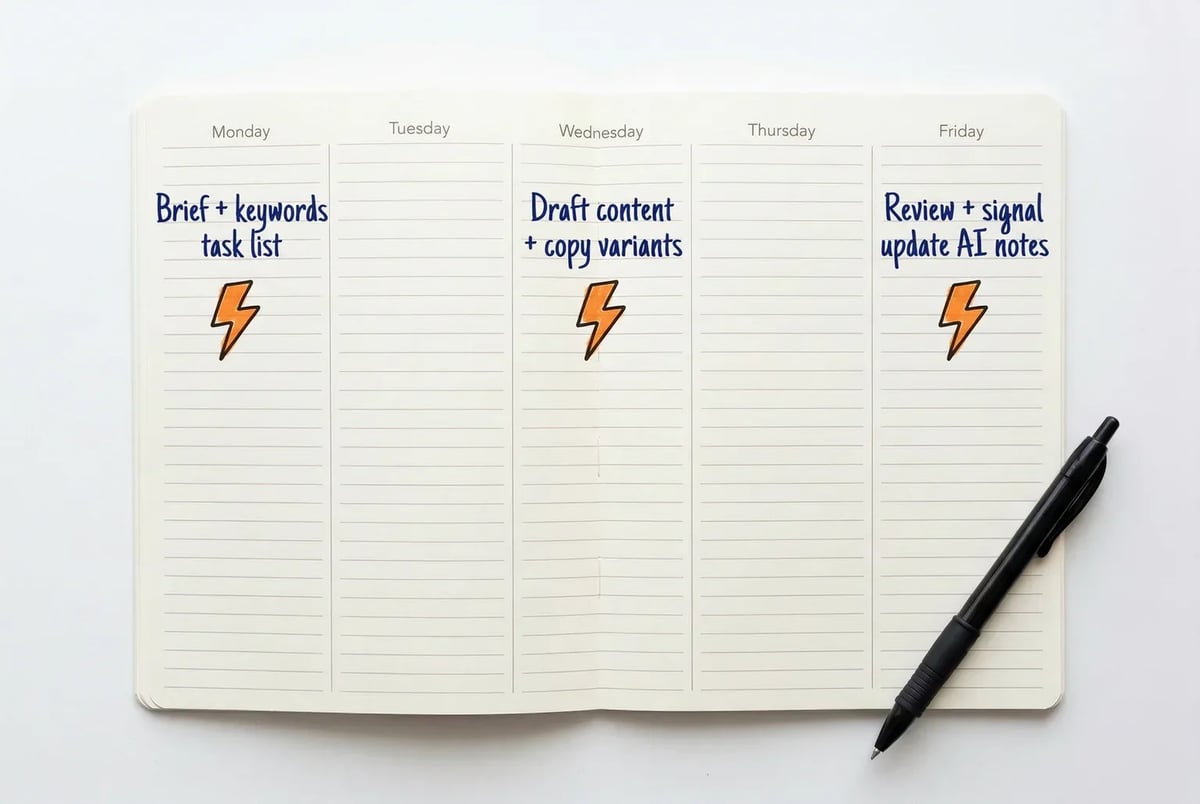
The five phases collapse into a three-beat weekly rhythm: plan on Monday, execute mid-week, review on Friday.
Marketers who run this kind of integrated workflow report reclaiming roughly eight to twelve hours per week compared to fully manual execution across the same tasks. [85] [86] Getting there takes two to four weeks of initial setup, mostly spent in Phase 1 building the infrastructure the other phases depend on. [86] [88]
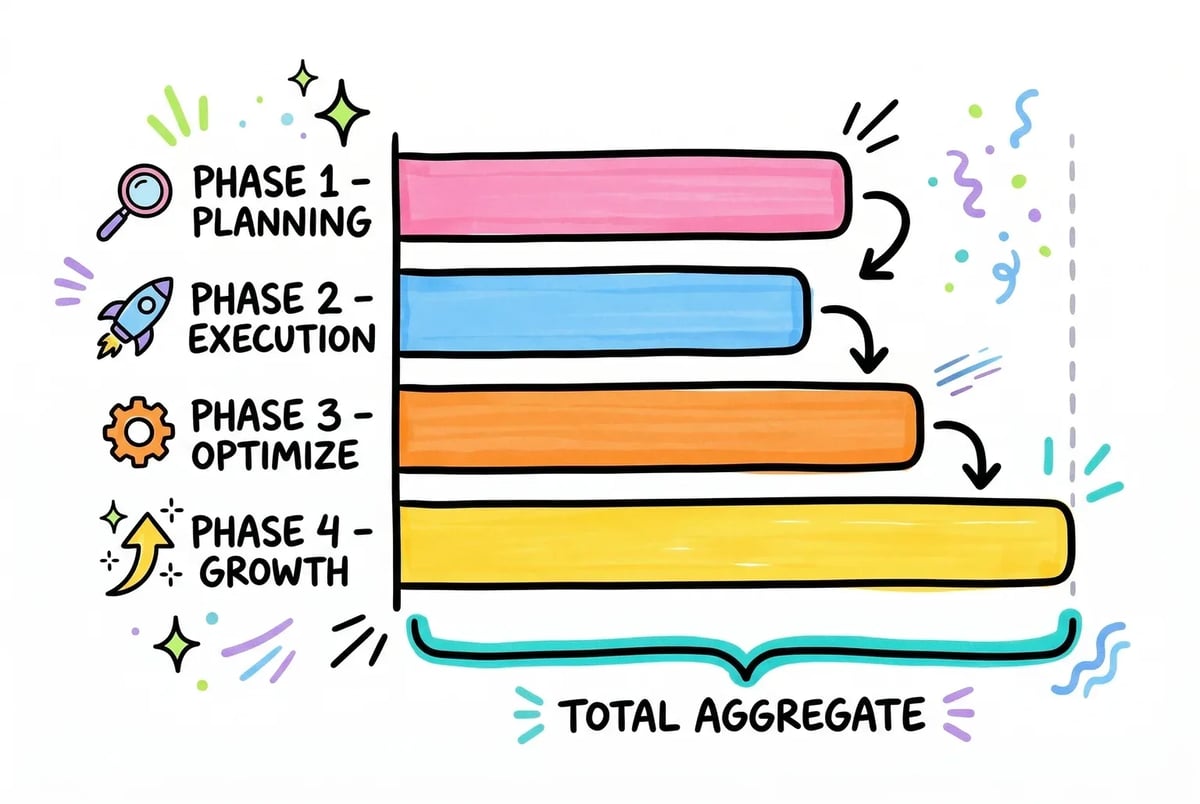
Across the five phases, solo marketers can realistically reclaim 8–12 hours a week — with ads and content doing the heaviest lifting.
The honest version of what happens: the first week feels slower than doing it manually. You are building the infrastructure while trying to use it. By week three, the Projects are trained, the prompts are dialed in, and you stop thinking about the tools at all. They just run.
That is the goal. Not AI for its own sake, but a workflow where the repetitive, volume-dependent parts of marketing are handled, and your time goes to the decisions only you can make — the strategy, the creative direction, the judgment calls the model cannot access because they live in your head.
Start with Phase 1. Everything else follows from that.
If you want this whole workflow assembled for you — Projects, brand voice, content briefs, email sequences, ad variants, all wired together — that’s exactly what mOS is. Or start here for the free tools that cover each phase individually.
Sources
[1] ChatGPT 2024 Features Explained — https://theaiadvantage.ca/chatgpt-2024-features-explained/
[2] ChatGPT Projects Just Got Smarter — Here’s How to Use the New Tools — https://www.tomsguide.com/ai/chatgpt-projects-just-got-smarter-heres-how-to-use-the-new-tools
[3] ChatGPT Projects Guide — https://lasserouhiainen.com/chatgpt-projects-guide/
[4] Projects in ChatGPT — https://help.openai.com/en/articles/10169521-projects-in-chatgpt
[5] ChatGPT Projects — Free Users New Update — https://www.timesofai.com/news/chatgpt-projects-free-users-new-update/
[6] YouTube video referenced in section — https://www.youtube.com/watch?v=lFZgr6ayX_U
[7] YouTube video referenced in section — https://www.youtube.com/watch?v=qyzcf8rhEpU
[8] Supported file types you can upload to Claude — https://www.datastudios.org/post/supported-file-types-you-can-upload-to-claude
[9] What kind of files does Claude allow me to upload? — https://viblo.asia/p/what-kind-of-files-does-claude-allow-me-to-upload-bXP4WrPYV7G
[10] Files (Claude) — Platform documentation — https://platform.claude.com/docs/en/build-with-claude/files
[11] Projects — Anthropic (Claude) announcement — https://www.anthropic.com/news/projects
[12] ChatGPT Custom Instructions Template — https://customgpt.ai/chatgpt-custom-instructions-template/
[13] Key guidelines for writing instructions for custom GPTs — https://help.openai.com/en/articles/9358033-key-guidelines-for-writing-instructions-for-custom-gpts
[14] ChatGPT Custom Instructions — https://help.openai.com/en/articles/8096356-chatgpt-custom-instructions
[15] How to use ChatGPT Custom Instructions — https://simple.ai/p/how-to-use-chatgpt-custom-instructions
[16] Claude vs ChatGPT (2025) — Best AI for Coding, Writing and Research (Review) — https://www.ai.cc/blogs/claude-vs-chatgpt-2025-best-ai-for-coding-writing-and-research-review/
[17] ChatGPT vs Claude 2025 — the ultimate AI comparison for productivity and creativity (forum thread) — https://windowsforum.com/threads/chatgpt-vs-claude-2025-the-ultimate-ai-comparison-for-productivity-and-creativity.374635/
[18] Claude vs ChatGPT in 2025 — https://www.glbgpt.com/hub/claude-vs-chatgpt-in-2025/
[19] ChatGPT-5 vs ChatGPT-4 vs Claude Opus 4.1 — Comparison (2025) — https://www.digidop.com/blog/chatgpt-5-vs-chatgpt-4-vs-claude-opus-4-1-comparison-2025
[20] What is the best AI model in 2025? Grok-4 vs ChatGPT GPT-5.1 vs Gemini 3.0 Pro vs Claude Opus — https://dev.to/bencarter/what-is-the-best-ai-model-in-2025-grok-4-vs-chatgpt-gpt-51-vs-gemini-30-pro-vs-claude-opus-59k9
[21] Claude Opus 4.1 vs GPT-5 — Coding benchmark face-off (2025) — https://digehub.com/claude-opus-4-1-vs-gpt-5-the-ultimate-coding-benchmark-face-off-2025-guide/
[22] YouTube video (Claude vs ChatGPT comparative content) — https://www.youtube.com/watch?v=SCAJA6kHgqY
[23] ChatGPT vs Claude vs Gemini — the best AI model for each use case (2025) — https://creatoreconomy.so/p/chatgpt-vs-claude-vs-gemini-the-best-ai-model-for-each-use-case-2025
[24] ChatGPT vs Claude vs Gemini (comparison for marketing/productivity) — https://www.lairedigital.com/blog/chatgpt-vs-claude-vs-gemini
[25] Claude vs ChatGPT (marketing) — PromptBuilder comparison — https://promptbuilder.cc/compare/claude-vs-chatgpt/marketing
[26] Field-testing LLMs for marketing and advertising — https://sharedphysics.com/field-testing-llms-for-marketing-and-advertising/
[27] Claude vs ChatGPT — SE Ranking blog comparison — https://seranking.com/blog/claude-vs-chatgpt/
[28] Claude vs ChatGPT — Nexos.ai blog — https://nexos.ai/blog/claude-vs-chatgpt/
[29] Claude vs ChatGPT — Zapier blog — https://zapier.com/blog/claude-vs-chatgpt/
[30] Keyword Clustering (Semrush Blog) — https://www.semrush.com/blog/keyword-clustering/
[31] AI Keyword Research Updates (Semrush Blog) — https://www.semrush.com/blog/ai-keyword-research-updates/
[32] Methods for Keyword Clustering and Topic Modeling (Semrush Blog) — https://www.semrush.com/blog/what-are-methods-for-keyword-clustering-and-topic-modeling/
[33] New Report Reveals Top AI Content & SEO Trends for 2024 (Semrush News) — https://www.semrush.com/news/288870-new-report-reveals-the-top-ai-content-and-seo-trends-for-2024/
[34] Top Keyword Clustering Tools & Grouping Techniques in 2025 (Alephwebsite) — https://alephwebsite.com/top-keyword-clustering-best-tools-and-grouping-techniques-in-2025/
[35] 7 Advanced Keyword Research Tools for 2024 (StellarContent) — https://www.stellarcontent.com/blog/content-marketing/7-advanced-keyword-research-tools-for-2024/
[36] Best Competitor Keyword Clustering Tools (Pearl Lemon) — https://pearllemon.com/best-competitor-keyword-clustering-tools/
[37] New Features — September 2024 (Ahrefs Blog) — https://ahrefs.com/blog/new-features-sept-2024/
[38] Ahrefs Changelog 2024 (Ahrefs Blog) — https://ahrefs.com/blog/ahrefs-changelog-2024/
[39] AI Overviews & Keywords (Ahrefs Blog) — https://ahrefs.com/blog/ai-overview-keywords/
[40] AI Overviews Reduce Clicks — Update (Ahrefs Blog) — https://ahrefs.com/blog/ai-overviews-reduce-clicks-update/
[41] Using Ahrefs Features for AI B2B SEO — 2025 Guide (SalesHive) — https://saleshive.com/blog/ai-b2b-using-ahrefs-features-seo-2025-guide/
[42] SERP Analysis: Step-by-Step Guide (Wincher) — https://www.wincher.com/blog/serp-analysis-step-by-step-guide
[43] How to Do a SERP Analysis (LowFruits) — https://lowfruits.io/blog/how-to-do-a-serp-analysis/
[44] Custom GPT Ideas to Automate SEO Workflows (Search Engine Land) — https://searchengineland.com/custom-gpt-ideas-automate-seo-workflows-468101
[45] Email Nurture Sequence Examples — https://www.sequenzy.com/blog/email-nurture-sequence-examples
[46] Lead Nurturing Email Sequences (prompts) — https://www.jasper.ai/prompts/lead-nurturing-email-sequences
[47] Email Sequence Examples — https://instantly.ai/blog/email-sequence-examples/
[48] How to Build a Nurture Email Campaign Sequence — https://www.mailerlite.com/blog/nurture-email-campaign-sequence
[49] Build a Complete Email Nurture Flow Using AI — https://maven.com/p/291210/build-a-complete-email-nurture-flow-using-ai
[50] Email Marketing ChatGPT Prompts — https://www.effiqs.com/resources/email-marketing-chatgpt-prompts
[51] Lead Nurturing Emails: The Basics — https://business.adobe.com/blog/basics/lead-nurturing-emails
[52] Email Subject Line Generator — https://www.benchmarkemail.com/email-subject-line-generator/
[53] Nurture Sequence Examples — https://wordsbypeta.com/nurture-sequence/
[54] Lead Nurturing Emails: Examples & Best Practices — https://encharge.io/lead-nurturing-emails/
[55] Mailjet AI Subject Line Generator (release/blog) — https://www.mailjet.com/releases/ai-subject-line-generator/
[56] Generate Email Subject Line and Preview Text with Merlin AI — https://help.moengage.com/hc/en-us/articles/29116119353876-Generate-Email-Subject-Line-and-Preview-Text-with-Merlin-AI
[57] Best AI Subject Line Generators Compared (free & paid) — https://blog.groupmail.io/best-ai-subject-line-generators-compared-free-paid/
[58] Email Subject Lines for Sales (best practices) — https://monday.com/blog/monday-campaigns/email-subject-lines-for-sales/
[59] AI Email Marketing 2024 — https://www.atliq.ai/ai-email-marketing-2024/
[60] Nano Banana 2 (Gemini 3.1 Flash Image) — Google blog — https://blog.google/innovation-and-ai/technology/ai/nano-banana-2/
[61] Gemini 3.1 Flash Image model page — AI Studio — https://aistudio.google.com/models/gemini-3-1-flash-image
[62] Image generation overview — Gemini (Google) — https://gemini.google/overview/image-generation/
[63] Ultimate prompting guide for Nano Banana — Google Cloud blog — https://cloud.google.com/blog/products/ai-machine-learning/ultimate-prompting-guide-for-nano-banana
[64] Google advances enterprise image AI with Nano Banana 2 — Efficiently Connected — https://www.efficientlyconnected.com/google-advances-enterprise-image-ai-with-nano-banana-2/
[65] Google Nano Banana 2 (Gemini 3.1 Flash Image) — Complete Guide — AlmCorp blog — https://almcorp.com/blog/google-nano-banana-2-gemini-31-flash-image-complete-guide/
[66] Google rolls out Nano Banana 2 across Search, Ads and Cloud — TechStrong — https://techstrong.ai/features/google-rolls-out-nano-banana-2-across-search-ads-and-cloud/
[67] (Video) Nano Banana 2 overview — YouTube — https://www.youtube.com/watch?v=hg7PrnjfmHk
[68] (Video) Veo 3.1 creative capabilities — YouTube — https://www.youtube.com/watch?v=kDr6kON_T1I
[69] (Video) Veo 3.1 demo / commercial notes — YouTube — https://www.youtube.com/watch?v=O8-vsMM8hSI
[70] Introducing Veo 3.1 and new creative capabilities in the Gemini API — Google Developers Blog — https://developers.googleblog.com/introducing-veo-3-1-and-new-creative-capabilities-in-the-gemini-api/
[71] Veo updates — Google blog (Flow & creative capabilities) — https://blog.google/innovation-and-ai/products/veo-updates-flow/
[72] Video generation overview — Gemini (Google) — https://gemini.google/overview/video-generation/
[73] Veo model page — DeepMind / Google — https://deepmind.google/models/veo/
[74] (Referenced) GPT workflow / spinutec — raw citation from section (incomplete URL) — https://www.spinutec
[75] ChatGPT 5.1 vs Claude vs Gemini — 2025 comparison — https://skywork.ai/blog/ai-agent/chatgpt-5-1-vs-claude-vs-gemini-2025-comparison/
[76] ChatGPT vs Google Gemini vs Anthropic Claude — full report and comparison (mid-2025) — https://www.datastudios.org/post/chatgpt-vs-google-gemini-vs-anthropic-claude-full-report-and-comparison-mid-2025
[77] Flagship Model Report — https://www.vellum.ai/blog/flagship-model-report
[78] The year in LLMs (2025) — https://simonwillison.net/2025/Dec/31/the-year-in-llms/
[79] LM Council — Benchmarks — https://lmcouncil.ai/benchmarks
[80] State of Consumer AI 2025 — product hits, misses, and what’s next — https://a16z.com/state-of-consumer-ai-2025-product-hits-misses-and-whats-next/
[81] OpenAI API — Models documentation — https://developers.openai.com/api/docs/models
[82] Model release notes — https://help.openai.com/en/articles/9624314-model-release-notes
[83] OpenAI models — Release log (ReleaseBot) — https://releasebot.io/updates/openai/openai-models
[84] OpenAI API — Deprecations — https://developers.openai.com/api/docs/deprecations/
[85] Marketing automation statistics — https://emarsys.com/learn/blog/marketing-automation-statistics/
[86] AI automation — Save time (report/guide) — https://cornelldesigngroup.com/ai-automation-save-time/
[87] AI is saving sales teams hours of work per day (survey) — https://www.businessinsider.com/ai-saving-sales-teams-hours-work-daily-survey-says-2024-1
[88] How AI marketing automation can save over 10 hours every week — https://www.buzzency.com/how-ai-marketing-automation-can-save-over-10-hours-every-week/
[89] 10 eye-opening AI marketing stats in 2025 — https://digitalmarketinginstitute.com/blog/10-eye-opening-ai-marketing-stats-in-2025